Table of Contents
In this comprehensive guide, we are looking at how to run the legendary Grand Theft Auto IV (GTA 4) on mobile. While many think it’s impossible to play this AAA title on a smartphone, we have reached a “Tech-Driven” milestone. By combining a highly compressed 3GB Super Lite / RIP version with the latest GameHub optimization, you can transform your phone into a portable Liberty City.
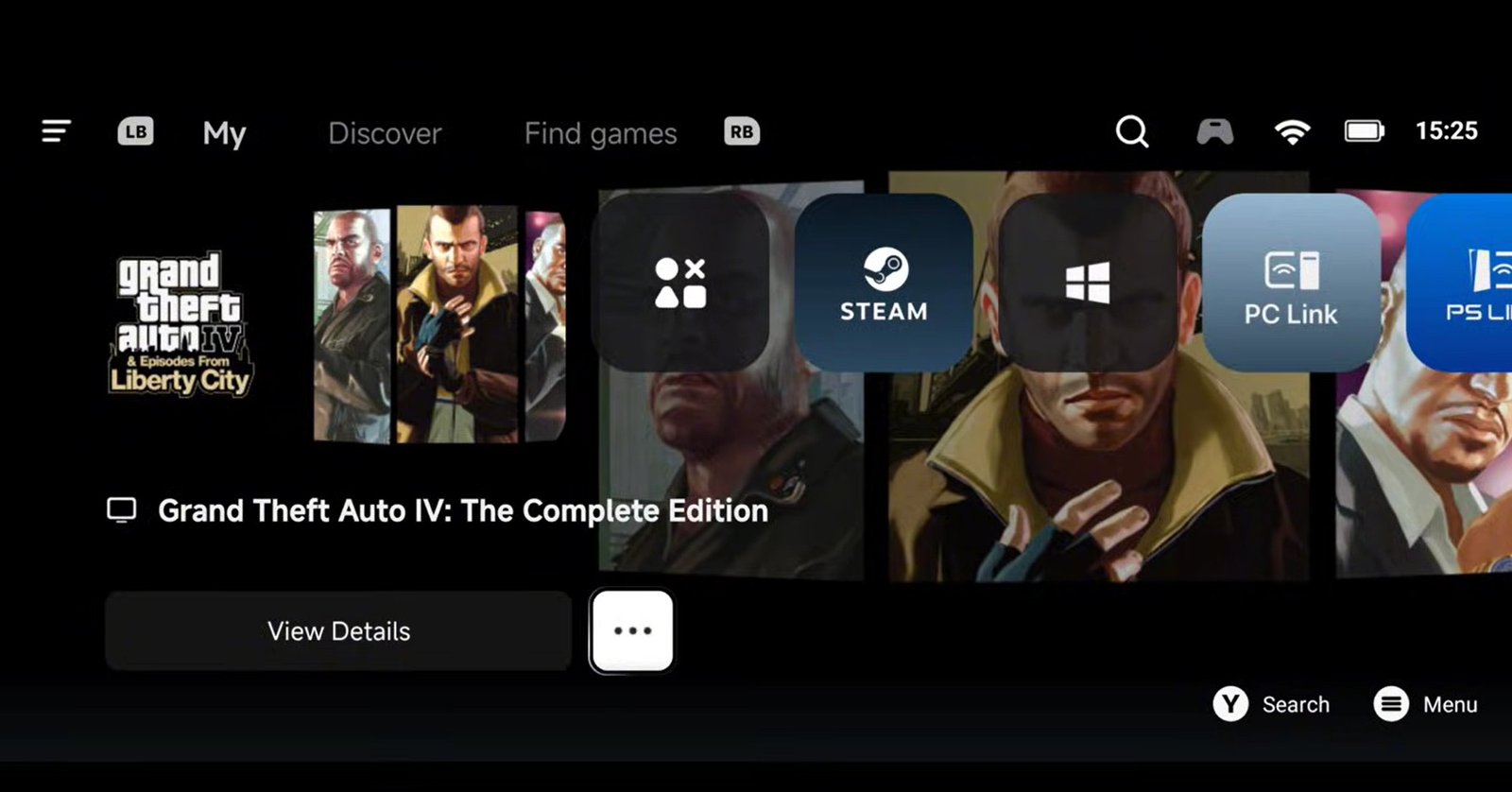
gta 4 3gb version gamehub
The Evolution: GTA 4 Extreme Compression
For a long time, running this game required massive storage space. We have seen the file size evolve through several stages:
-
Original/Early Ports: ~21GB
-
Mid-Level Compression: 7GB
-
Extreme Compression RIP Version: 3GB to 4GB
- Highly compressed/ Negligent Version: 600MB
To achieve this breakthrough 3GB size, some texture quality has been reduced, but the core gameplay, physics, and world density remain intact and surprisingly smooth. Here is the details and all you need to know:
RIP VERSION:
- – It weighs 3.82GB compressed and 4.52GB uncompressed
- – The textures are of lower quality
- – It does not contain sound in the cinematics.
- – It does not contain sounds on the radios
- – Does not contain some ambient sounds
Technical Breakdown: Size vs. Quality
| Feature | Details |
| Download Size | ~3GB (Highly Compressed) |
| Installed Size | ~4GB |
| FPS Target | 30 – 50+ FPS |
| Texture Quality | Optimized (Slightly reduced for performance) |
Pre-Requisites & Setup
-
Connection: Ensure your Wi-Fi or mobile data is turned on before starting the initial setup.
-
Emulator: This guide utilizes GameHub (the latest stable update). You can also use any other Windows emulator of your choice, i have make a comprehensive Guide on how to use them. Yo can check them out:
Setup Winlator 2.9 for Maximum FPS: Mali & Snapdragon Optimized
WinNative Emulator: Complete Setup & Performance Guide (Pre-Release)
-
Storage: Have your highly compressed GTA 4 PC files ready in your internal storage.
Downloading the Game and the Emulator
To run PC files on Android, you need an intermediary. In this guide, we use the Game Hub Emulator.
-
Important: Do not use the version from the Play Store, as it only supports cloud gaming and Steam linking.
-
Action: Download and setup any of your desired Emulator by checking out any of our guides above to allow local file importing.
- Download the Grand Theft Auto IV (GTA 4) 3.82 GB RIP version using the blue button:
Step 1: Importing the Game
Once you have downloaded your preferred GTA 4 version (e.g., the 3.82 GB RIP version) and extracted the files:
-
Open GameHub and navigate to the “My” tab, then scroll to the right.
-
Select Import Game > PC Game and navigate to your extracted folder.
-
Locate your game folder and select the executable file: GTA4.exe (usually around 13MB).
-
Click Confirm.
Step 2: Optimized Emulator Settings
To ensure a lag-free experience, tap the three dots at the bottom of the game icon and select PC Game Settings.
General Settings
-
Game Resolution: Set this to 854 x 480. This is critical for balancing performance and visuals.
-
Note: High-end flagships can go higher, but 480p is recommended for total stability.
-
Compatibility & Drivers
-
Compatibility: Select Proton 10.0.
-
Translation Parameters: Set this to Extreme.
-
GPU Driver: Use the latest Version 26.0.0R4.
-
⚠️ Mediatek Users: Custom GPU drivers are generally not supported; leave this as Default.
-
-
DXVK Version: Use the Default (Bawaan) setting.
-
CPU Translator: Select the latest version available at the top of the list.
Step 3: In-Game Optimization (Rockstar Settings)
Once the game boots, adjust these internal settings to maximize your FPS:
-
Full Screen: Tap the Gear icon in the emulator overlay and toggle Full Screen.
-
Display: Turn the HUD Off to save on processing power.
-
Graphics: * Set almost all options to Low.
-
Lower the Detail slider significantly (especially on mid-range units).
-
Apply changes and return to the game.
-
Performance & Gameplay Features
-
Frame Rate: Expect a steady 30 to 50 FPS. Tip: You will see even better FPS if you are using a high end device with latest processor.
-
Graphics & Reflections: Even with compression, reflections remain high-quality and there are no major glitches when entering/exiting vehicles.
-
Controls: Use the on-screen “F” button or a mapped controller (like the GameSir G8) for seamless interaction.
-
Mod Support: This version is compatible with high-graphics mods if you wish to restore high-fidelity textures later.
- Physics: The classic GTA 4 physics and driving mechanics are fully preserved.
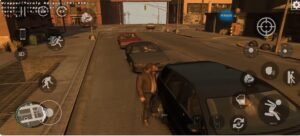
gta 4 3gb version gameplay
Gameplay Features
-
Smooth Controls: Using the on-screen “F” button (or mapped controller) allows for seamless interaction with cars and NPCs.
-
Mod Support: This version is compatible with high-graphics mods. If your device is powerful enough, you can inject mods to restore the high-fidelity textures while keeping the base installation small.
-
Full Open World: The entire map is accessible, and the density of NPCs and traffic remains consistent with the original PC experience.
Final Verdict
This highly compressed 3GB version of GTA 4 is a game-changer for players with limited storage. It proves that with the right optimization and the Proton 10.0 compatibility layer, a massive AAA title can be “Gamer-Tested” on mobile without sacrificing the fun of the original experience.