

This post is also available in:
 German
A few weeks ago, I was gifted an R36S gaming console. After doing some research, I discovered something hilarious: there are loads of fake clones of this handheld on the market. It’s essentially “The Clone Wars,” which is ironic considering the R36S is a clone of a Game Boy (and other retro handhelds) in the first place!
If you’ve bought one of these recently—especially from places like Amazon or AliExpress—you might be wondering if you have the real deal or a low-quality knockoff. Some clones only have 512MB of RAM (instead of 1GB), laggy performance, or terrible screens. Here is the definitive guide on how to identify a genuine R36S.
1. The Hardware “Tear Down” Test
The most reliable way to tell if your R36S is real is to look at the motherboard. While this might void a warranty, these devices are only around £30 ($40), so many users find it worth the risk.
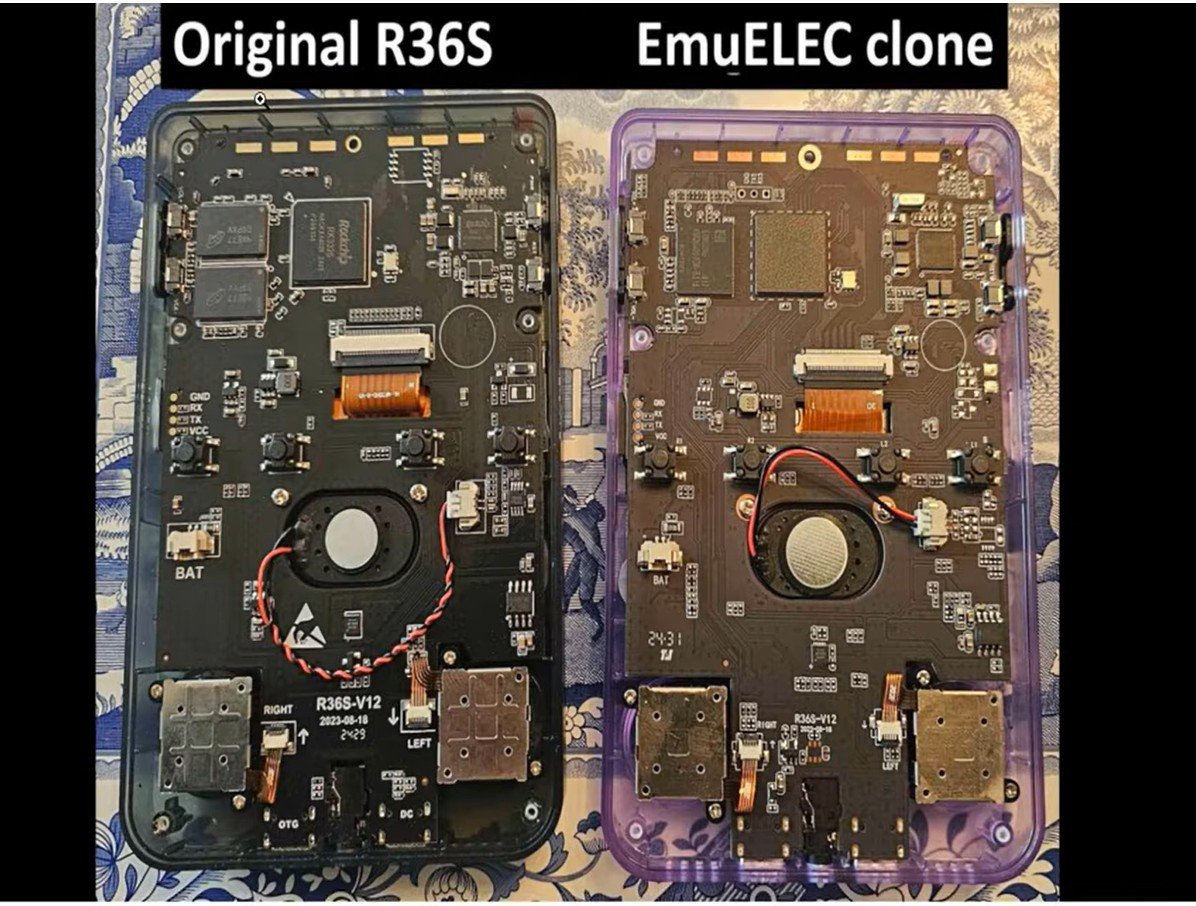
What to Look For Inside:
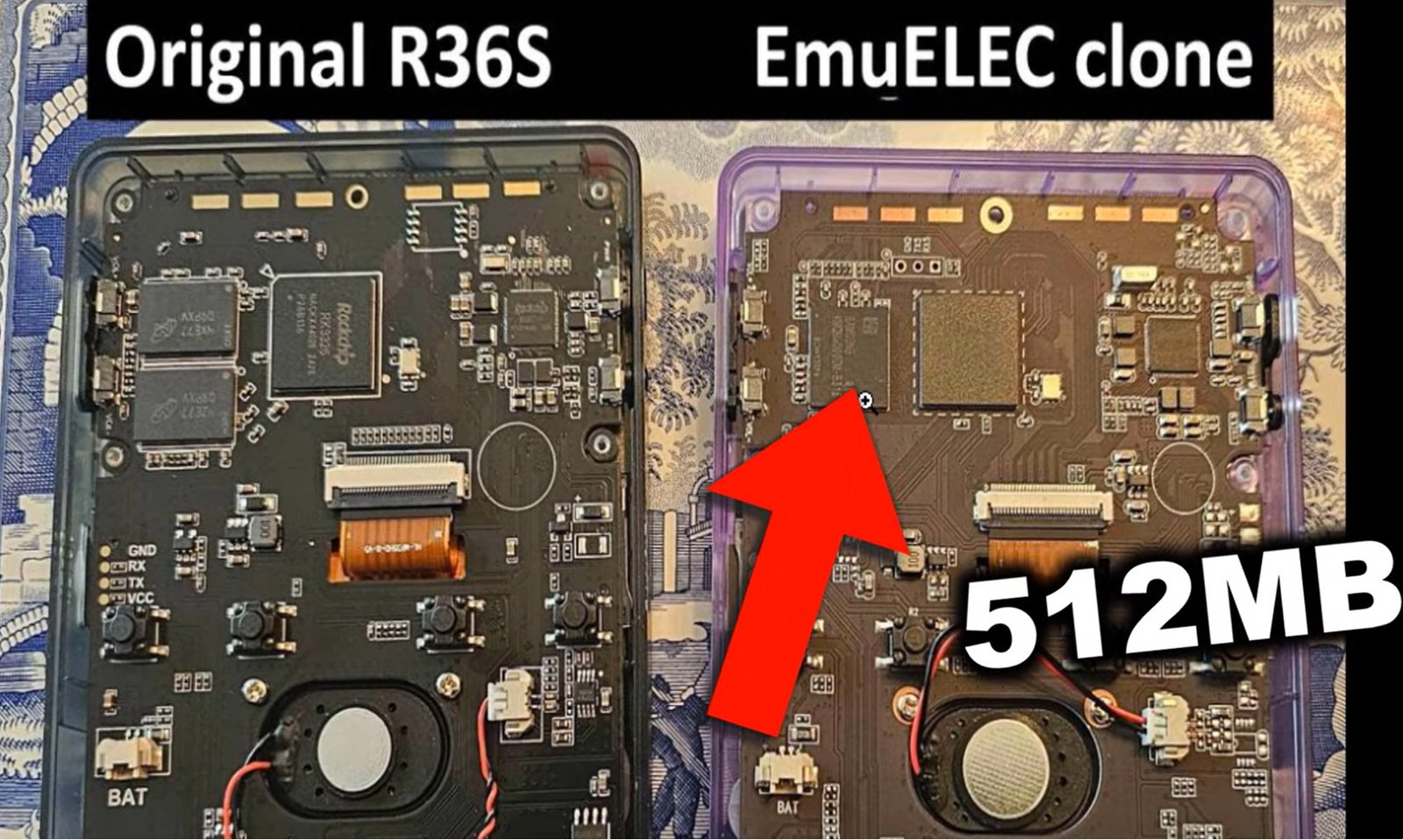
RAM Chips: A genuine R36S should have two RAM chips. Many fakes only have one.

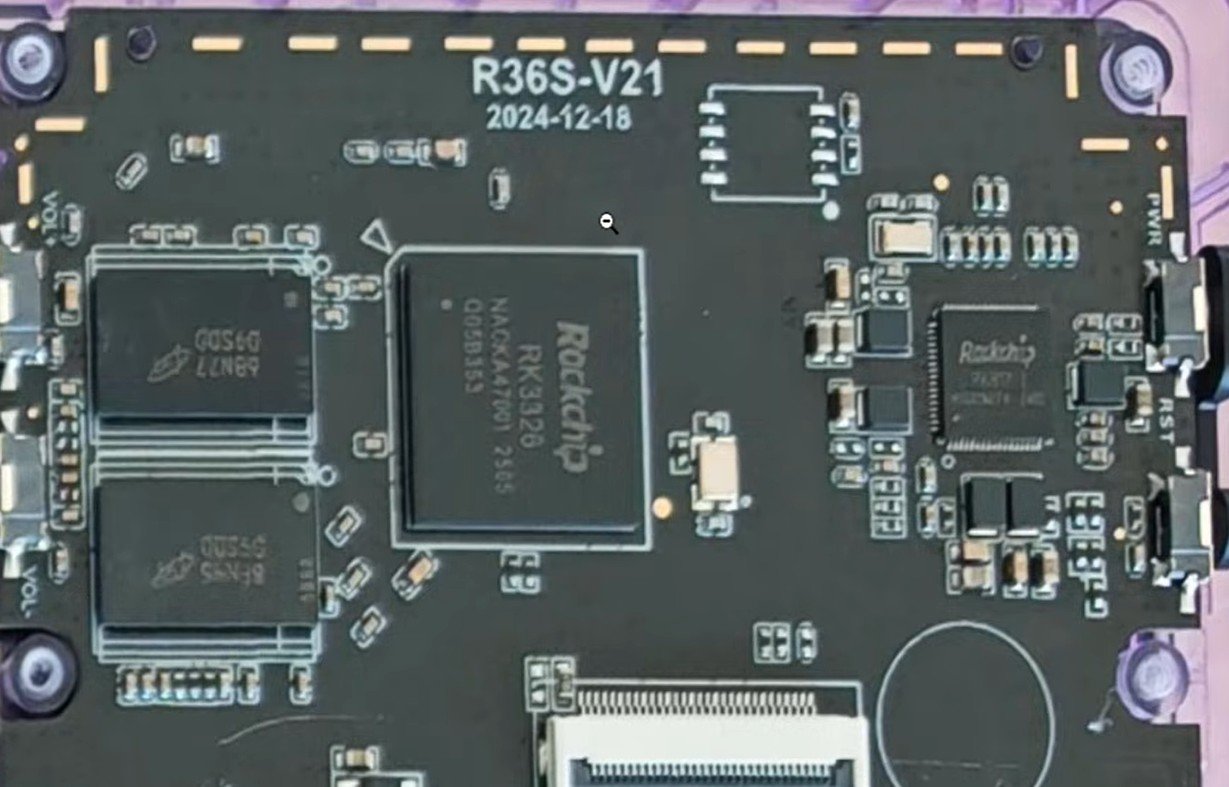
r36s motherboards real vs fake 512mb Stamps and Dates: Look for the “R36S” logo and a version stamp (like version 2.1) along with a manufacturing date on the board.

r36s motherboards logo and date Wi-Fi Card Slot: Authentic units have a designated space/connector for a Wi-Fi card.
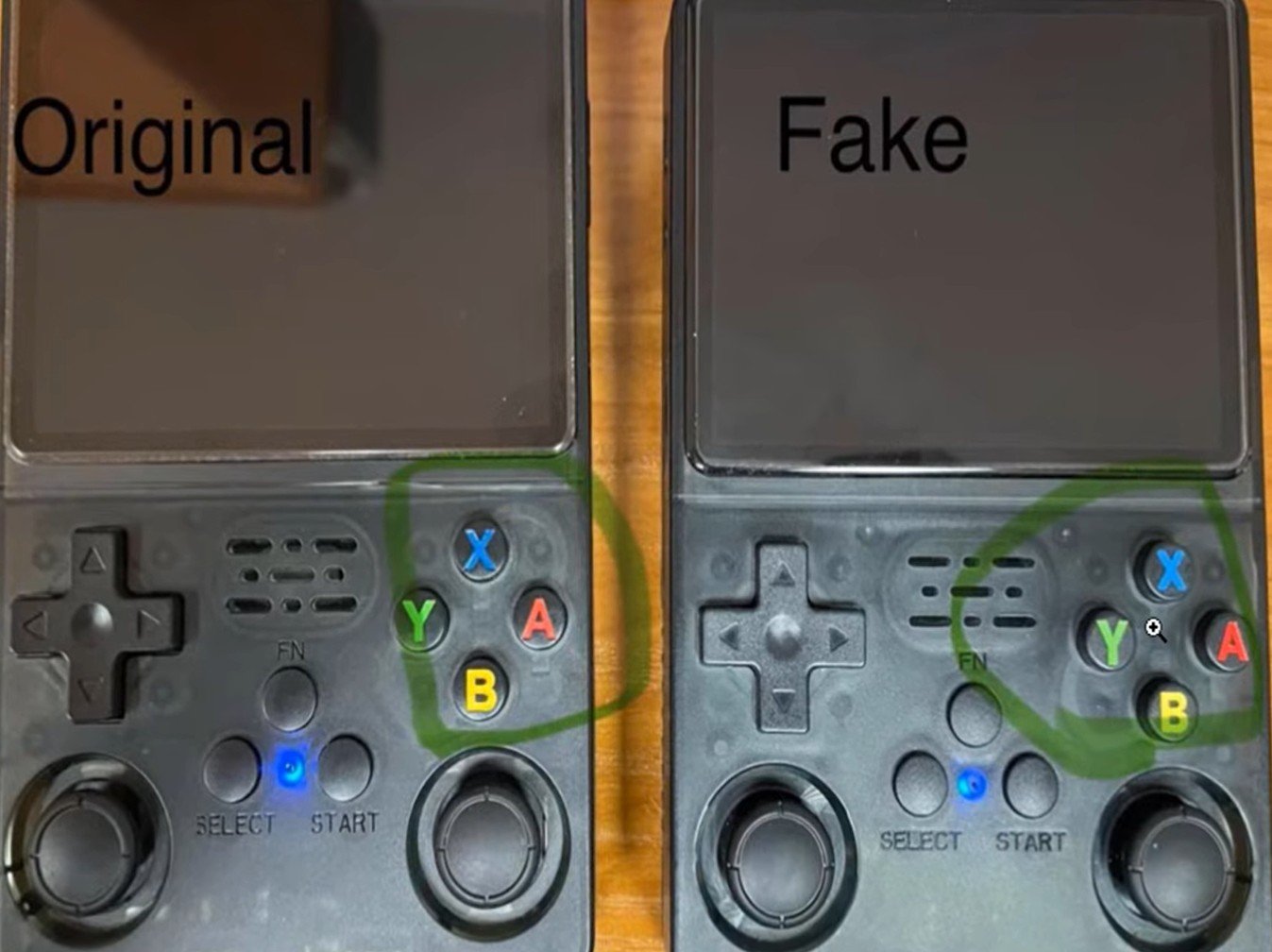
Build Quality: Fakes often have “decal” style buttons stuck on top, whereas the original has engraved-style buttons.

r36s original versus fake buttons
Pro Tip: To open it, you’ll need a standard Phillips head screwdriver to remove the six screws on the back. The battery compartment can be tough to open—it’s not exactly “Game Boy quality” plastic!
2. The Boot Screen and Software
Before you grab the screwdriver, check the software. The “Clone Wars” are often won or lost on the boot partition.
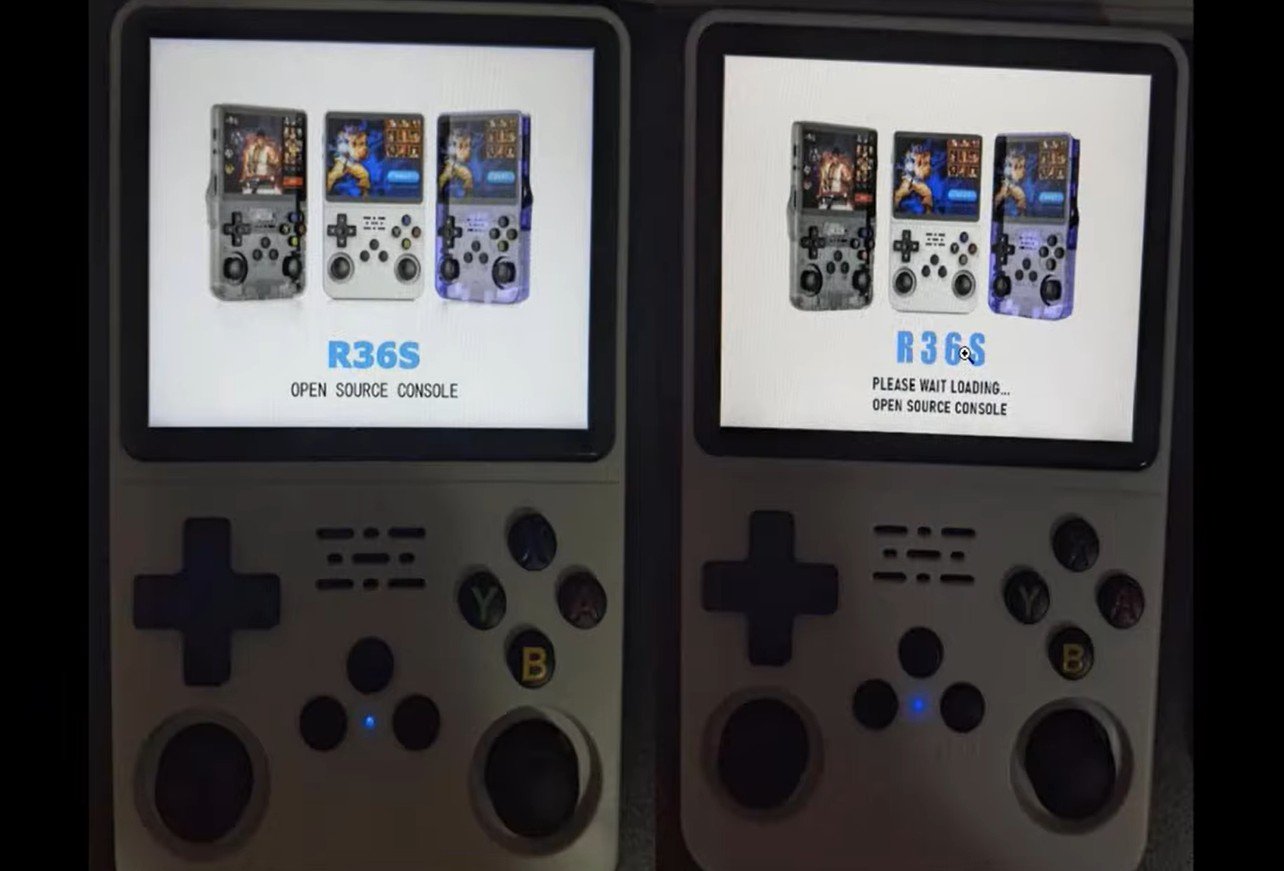
The Font: Pay attention to the boot screen font. Fake clones often use weird, inconsistent fonts that look “off” compared to the crisp, standard ArkOS font.
The OS: Genuine units typically boot into ArkOS 2.0.
Charging Icon: A major giveaway is the battery icon. A genuine R36S should not display any kind of battery icon while charging when powered off.
3. The SD Card and File Partition
Connect your SD card to a PC and look at the partition names.
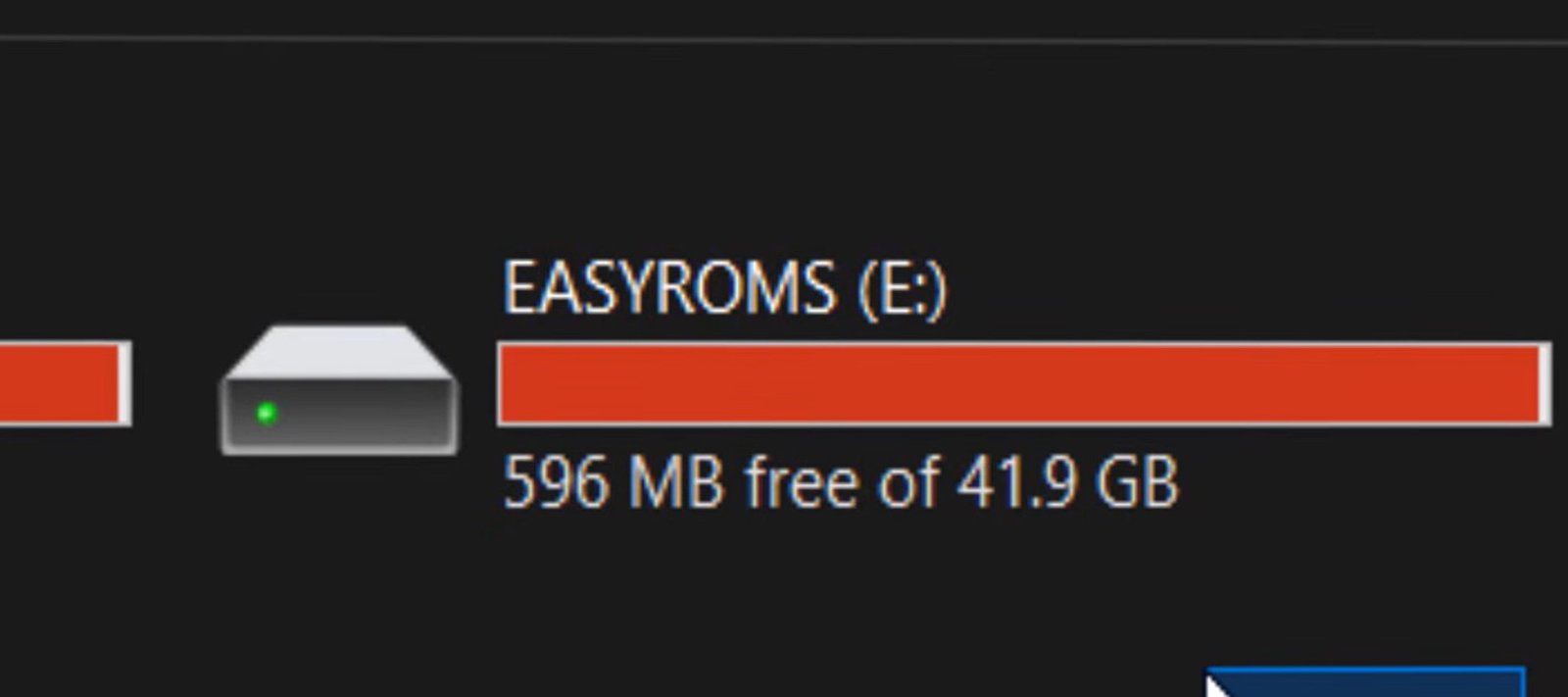
Good Sign: If the partition is named “EASYROMS,” that is a strong indication of a genuine device.

r36s sdcard partition easyroms original Red Flags: If you see names like “EMU,” “EOEC,” or “EROMs,” you likely have a clone.
Using the “Which Screen Do I Have?” Tool
There is a community-made tool that identifies your hardware based on the database files in your boot partition.
Connect your SD card to your PC.
Go to the R36S Handhelds screen tool here (or search for the “Which screen do I have” tool).
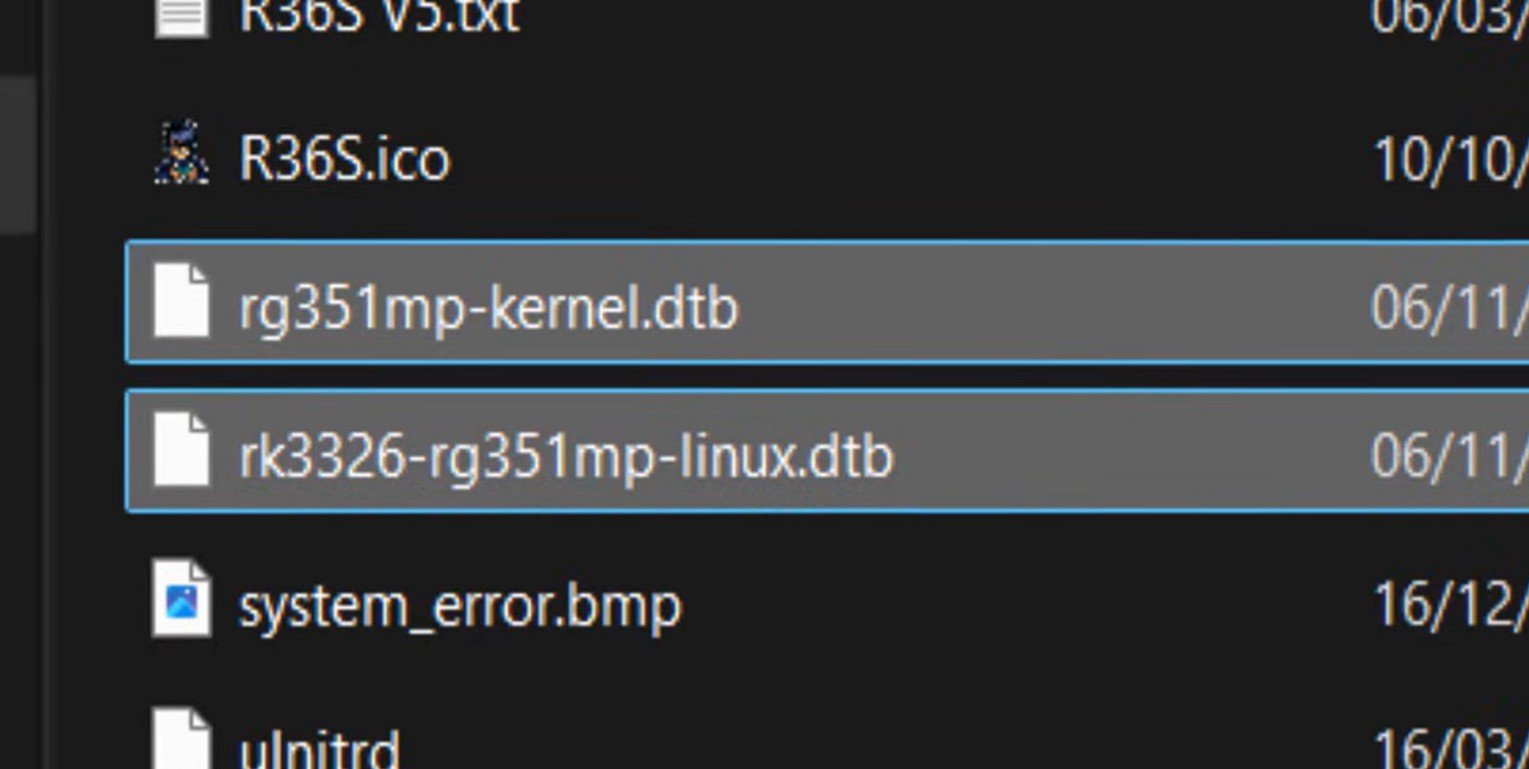
Upload your database/dtb files from the boot partition.

r36s dtb files If it identifies a specific panel (like Panel 4), you’re likely in the clear. If it returns an error, it’s probably a fake.
Summary Checklist
| Feature | Genuine R36S | Fake Clone |
| RAM | 2 Chips (1GB Total) | 1 Chip (512MB Total) |
| Boot Screen | Standard ArkOS Font | “Weird” or distorted fonts |
| Motherboard | R36S Stamp + Date | No logo or branding |
| SD Partition | Usually named “EASY” | Named “EMU,” “EOEC,” etc. |
| Charging | No icon when off | Often shows a battery icon |
Final Thoughts
It’s a bit of a joke that there are “bootlegs of a bootleg” on the market, but the quality difference is real. If you find out you have a fake with half the RAM and a laggy screen, I’d recommend sending it back and buying from a trusted seller.
Luckily, mine turned out to be the real deal—Update Version 2.0 with a bright IPS screen and the full 1GB of RAM.
Do you think you might have a clone? Tell me what your “Which Screen” tool results were in the comments!