
Table of Contents
If you grew up in the PSP jailbreaking scene, you remember the Recovery Menu. It was the ultimate toolbox—a simple text interface that could bring a “bricked” system back to life when a custom firmware or a messy plugin went wrong. It allowed you to toggle plugins, change low-level settings, and push the hardware far beyond Sony’s limits.
On the PS Vita, we’ve never really had that same level of integrated power. Sony’s native Safe Mode is fine for stock users, but for the homebrew community, it just doesn’t cut it. Today, that changes. I’m showcasing a brand-new, PSP-inspired Recovery Menu built specifically for the PS Vita.
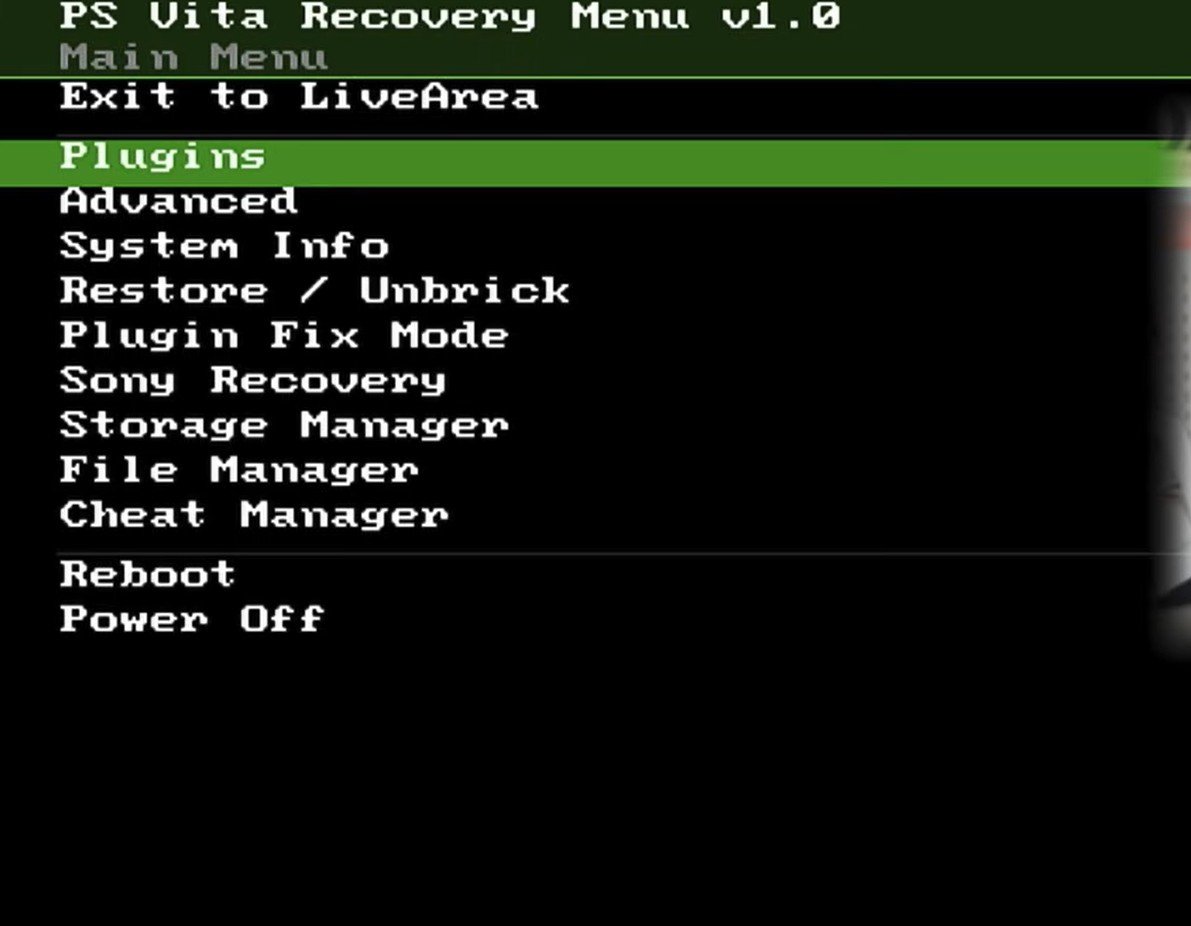
ps vita recovery interface
What is the PS Vita Recovery Menu?
Developed out of a passion for the original PSP interface, this homebrew aims to be a true safety net. It gives you a “back-end” to fix bad plugins and revert settings without needing to successfully boot into the LiveArea.
Important Disclaimer
Warning: This application is currently in early beta. It contains bugs and modifies system files. If you are not familiar with homebrew development, I advise waiting for a more stable release. Always read the Readme on GitHub before installing.
Installation and Setup
Installing the application is straightforward:
-
Download the VPK from GitHub.
-
Copy it to your PS Vita via FTP, USB, or SD card.
-
Install the PS Vita Recovery package in VitaShell.
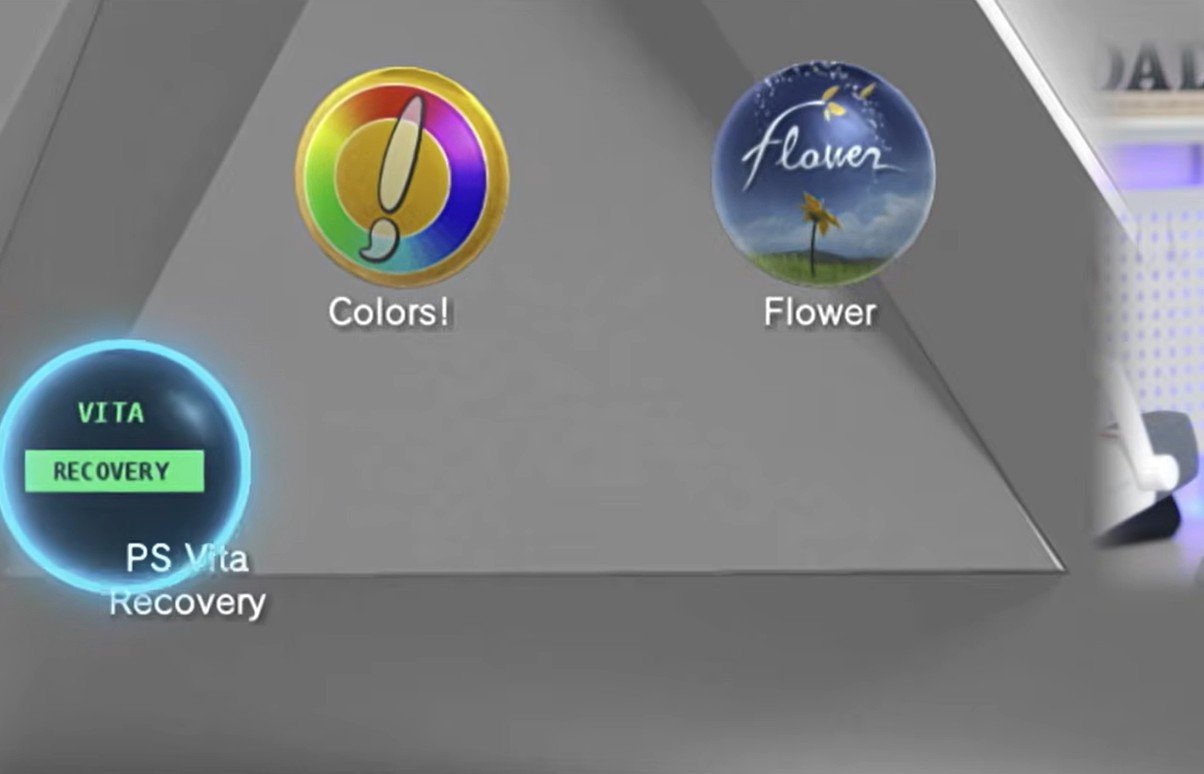
ps vita recovery icon
Key Features & Breakdown
The menu features a classic “Fallout-style” green-on-black aesthetic and is packed with tools that the Vita community has needed for years.
1. Plugin Management (The “Loop” Fixer)
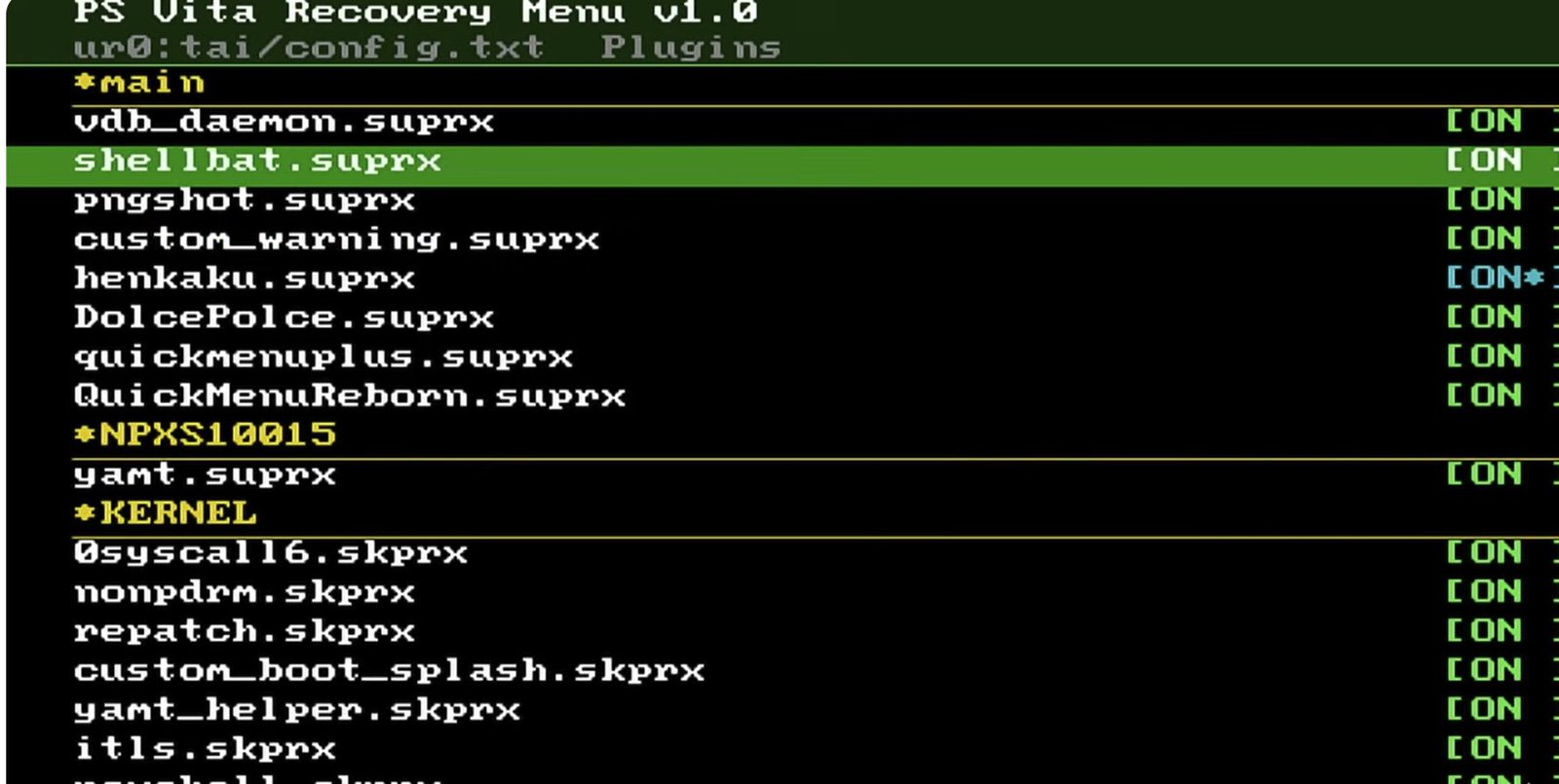
ps vita recovery boot plugins
We’ve all been there: you install a plugin, and your Vita gets stuck in a boot loop.
-
View and Toggle: You can now disable individual plugins from the back-end.
-
Safe Mode: Instantly disable all non-essential plugins to get the system stable again.
-
Emergency Config: Options to overwrite your
config.txtwith a “bare-bones” Henkaku minimum.
2. Restore and “Unbrick” Options
This is the most ambitious part of the project. While still in heavy testing, the goal is to allow users to:
-
Backup/Restore TAI Folders: Keep a clean copy of your configuration on your SD card.
-
Rebuild LiveArea Database: Deletes
notifications.dbso the firmware can rebuild it on reboot—perfect for fixing missing bubbles.
3. Sony Safe Mode Integration
Tired of holding the power button for 30 seconds or struggling with the PS + L + R combo? This menu allows you to trigger the standard Sony Safe Mode options (Rebuild Database, Format Memory Card, etc.) directly from the interface.
4. Advanced System Tools
-
Boot Diagnostics: A tool to scan for missing files (like Henkaku files) and pinpoint why your Vita is acting up.
-
Storage Manager: Built-in tools to switch mount points, format SD2Vita cards, and install the Storage Manager plugin.
-
Registry Editor & CPU Speed: Access low-level system settings similar to the VSH menu.
How to Install & Enable the “R-Button” Boot
To use this as a true recovery tool, you need it to trigger before the system fully boots.
-
Install the VPK: Download the latest release from GitHub and install it via VitaShell.
-
Enable Boot Recovery: Open the app, go to Advanced > Boot Recovery and select Install Boot Recovery. This updates your kernel/user plugins and TAI config.
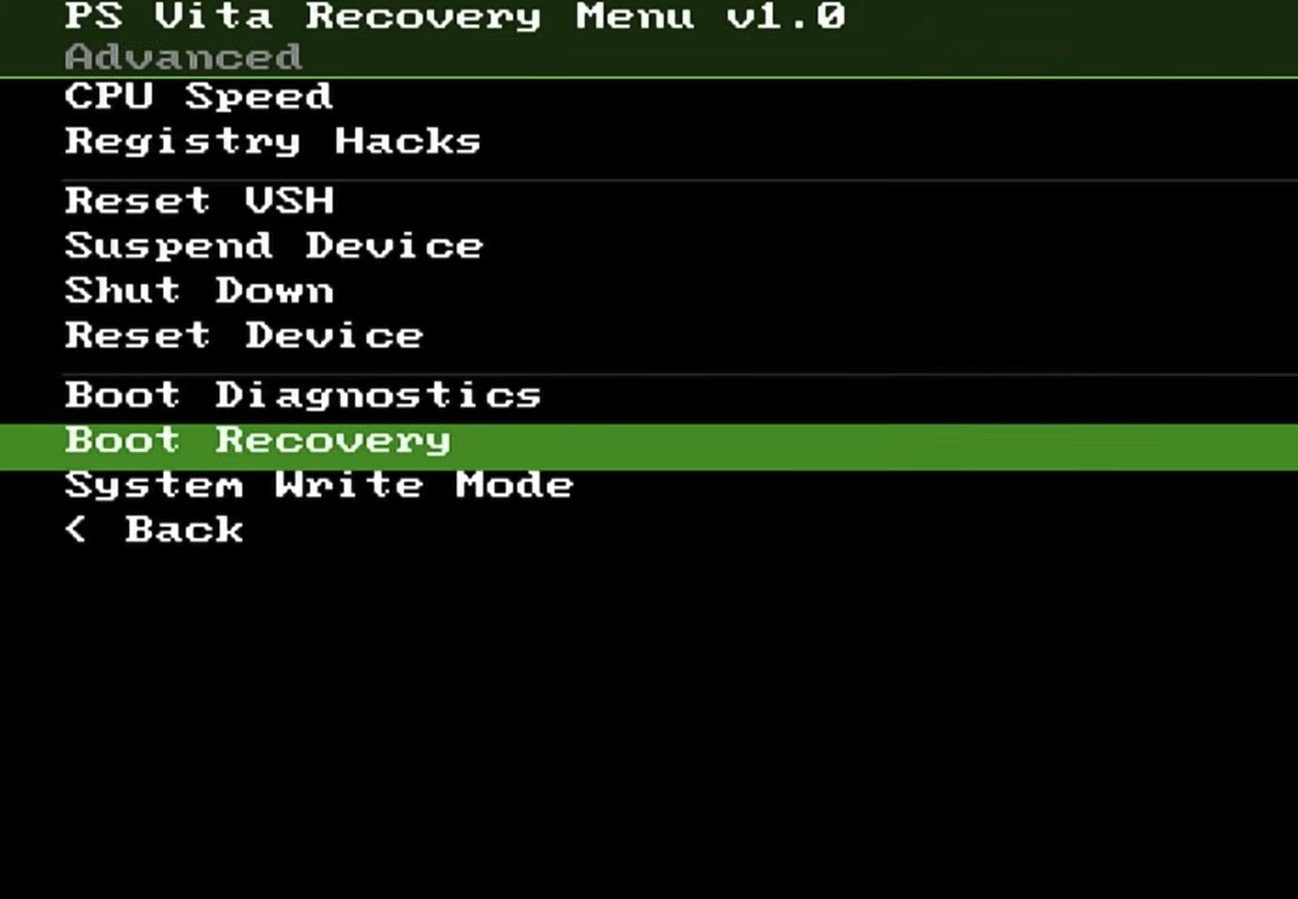
ps vita recovery boot
-
The Trigger: Once installed, power down your Vita completely. Hold the R-Button while powering it back on to jump straight into the Recovery Menu.
Current Known Bugs (Beta 1.0)
-
Custom Bootsplashes: Having a custom boot image may interfere with the R-button trigger, causing a boot loop. It is recommended to disable custom bootsplashes before use.
-
PlayStation TV Support: Currently, the R-button trigger is inconsistent on PSTV hardware.
-
System Info: Some hardware reporting (like motherboard type or firmware version) may display incorrect data while the developer fine-tunes the hardware detection.
Final Thoughts
This project is long overdue. The PS Vita is an incredibly powerful console, and having a PSP-style safety net makes the “jailbreaking” experience much safer for everyone. The developer is actively looking for feedback and testers to help squash bugs.
What feature would you like to see added to the recovery menu? A corrupt file scanner? Better PSTV support? Let me know in the comments below!