

This post is also available in:
 German
Are you having random crashes or freezes on your PS Vita? You’re not alone. I’ve had tons of messages about this problem recently. Fully jailbroken systems that suddenly don’t work, even if they’ve been sitting untouched for months.
Today, I’m going to show you how to fix the issue step by step and get your Vita back to normal.
⬇️ REQUIRED DOWNLOAD: You can find the latest patched VitaDB VPK file on the official GitHub repository here
⚠️ Understanding the Problem
Some people try rebuilding the database, but that usually makes it worse. It either won’t complete or causes the system to shut off. Others report content disappearing, games not showing, or constant freezes.
Note on Storage: If you’re using an SD card larger than 512 GB, some lag is normal. The Vita was never designed for that much storage, but the issue we’re covering today is different.
The root cause is VitaDB. The Homebrew community discovered that a recent VitaDB update introduced a plug-in bug. The app automatically runs in the background at startup, scanning your installed homebrew for updates. Unfortunately, the last version caused crashes, freezes, and shutdowns.
Thankfully, a new patch is out, and I’ll show you two methods on how to install it.
Also check out: Install Homebrew and Android Ports on PS Vita: The Full VitaDB Guide (2026)
🛠️ Method 1: The Quick Fix (If Your System Still Works)
This method is for you if your system still works—meaning it doesn’t shut down, you don’t get the rebuild database message, or it’s not constantly freezing when you open up apps.
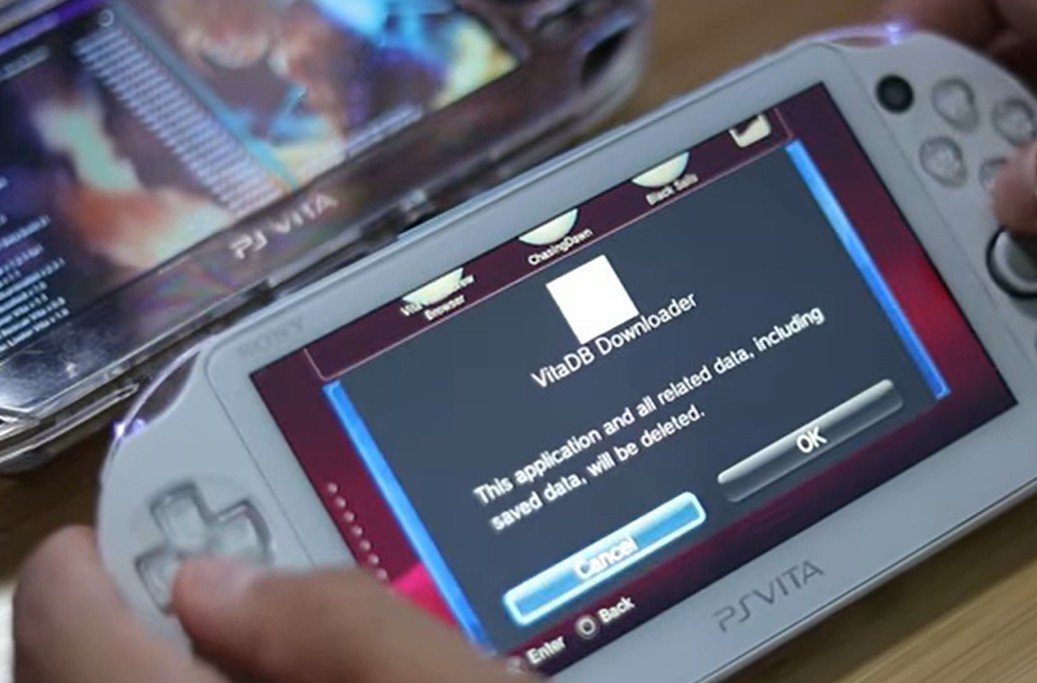
Delete VitaDB immediately.
Disable the Wi-Fi to stop it from running again (Settings under Network).
Connect your Vita to your PC or phone via FTP or USB.
Download the latest VitaDB VPK (link below from GitHub).
Copy it over and install it.
And you’re all done!
⚙️ Method 2: The Advanced Fix (For Any Console/Setup)
This method will work for any console, including advanced setups like a regular SD2VITA adapter or a much more advanced setup like the PSVSD setup. This is ideal if your system is experiencing constant issues.
Power off your Vita completely.
Hold the Left Trigger (L) while powering on. This bypasses the SD card and loads by defaults, which should help you get into your PS Vita if you’ve been having issues with rebuilding your database or freezing.
Go into your Settings under Network and disable the Wi-Fi.
Power off your system and reboot it again.
Once rebooted, you should have no issues with rebuilding your database and accessing your content on your PS Vita.
Delete VitaDB right away.
Connect your system via USB or FTP to your computer or smartphone.
Download and copy over the patch VPK from GitHub.
Install the VPK like normal through VitaShell.
Re-enable your Wi-Fi.
And you’re done!
✅ Conclusion
Those are the methods to fix freezes and crashes caused by VitaDB. Once you patch it, your Vita should run smoothly again.
If this helped, make sure to drop a like and bookmark for more PS Vita fixes, mods, and guides. Thank you so much for reading. Take care, and I’ll catch you guys on the next one. Peace.