

PSP cheats come in handy for a whole bunch of different reasons—and not just to break the game or win easily. They are essential for emulation tweaks, such as controller and video enhancement (like 60 FPS patches or widescreen fixes).
The easiest way to set up cheats in the PPSSPP Emulator is to install an entire cheat database. A master database covers as many games as possible in one single file. While a few options exist online, the list of download links database in this post is currently one of the best-maintained options available. Using cheats in your favorite PSP games has gotten significantly easier with recent updates to the PPSSPP emulator. Instead of manually editing complicated text files, the newer built-in cheat system allows you to import entire cheat databases directly.
What You Will Need
- PPSSPP Emulator (Updated to the newest version)
- ZArchiver (A free file extraction app available on the Google Play Store)
- A Cheat Database/File (ZIP format)
Download Links cheat.db zip file/Cwcheat Database 2025/2026 for PSP Emulator games
The cheat program used on the PSP / PPSSPP is called “Cwcheat”. It is the first official cheat engine used on the PSP and PPSSPP platforms to activate functions like Gameshark or Action Replay during a game. It is also available as an external plugin for PSP consoles.
Download PPSSPP Cheat.db 2024 recent updated Version Mediafire link
Download CWCheat.zip Database Editor for PPSSPP Emulator Mediafire
Download PPSSPP Cheat.db 2019 Version Mediafire link
Download PPSSPP Cheat.db 2018 Version Mediafire link
Download Cheat.db 2020 Version Mediafire link
Download Cheat.db Latest Version complete database 2021 from Mediafire
Cheat.db 2021 Complete Version database from Mediafire
Download CWcheat.db for ppsspp psp Emulator updated year 2022
Download Updated CWCheat-Database-Plus- Version github link
Part 1: How to Install the Cheat Database
Step 1: Download and Extract the Database
- Download the cheat database ZIP file using the provided download link in this post.
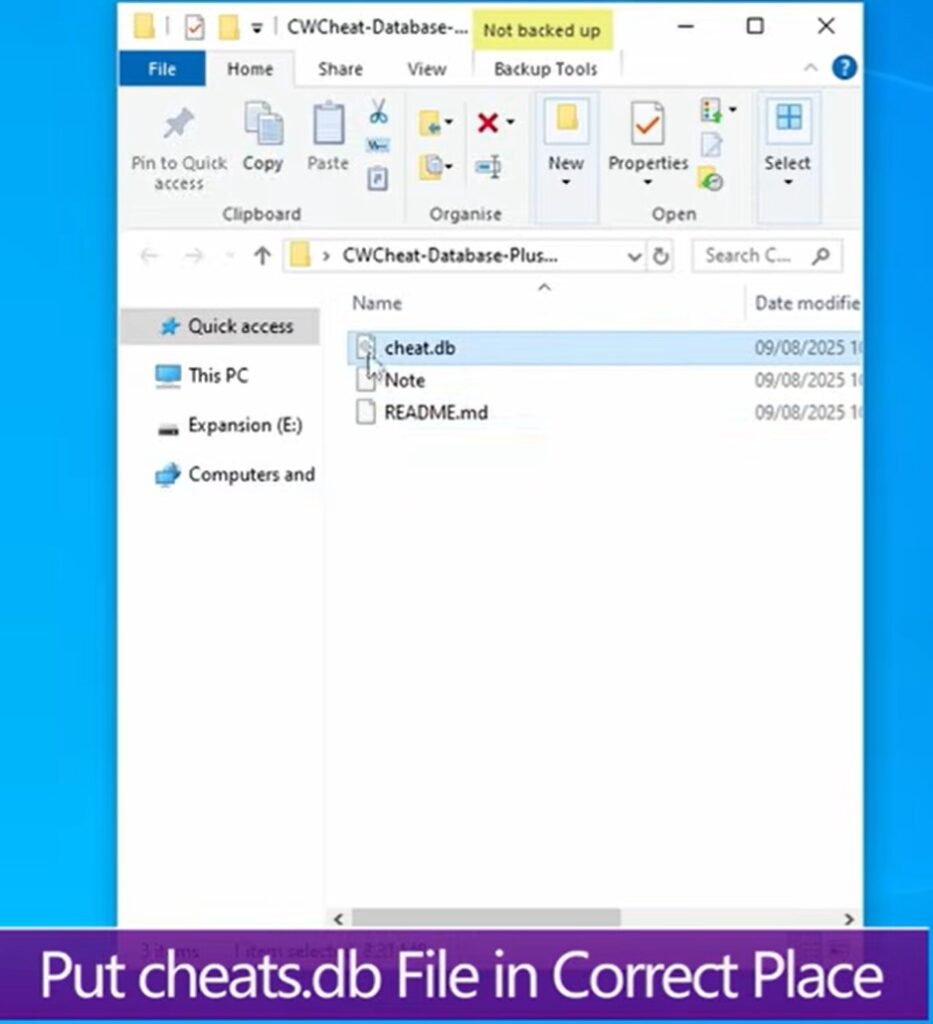
- Unzip the file using your OS file explorer or an app like ZArchiver.
- Ignore the extra files—you only need the file named
cheat.db(the cheats database file).
cheat.db file
Step 2: Locate Your PPSSPP Memory Stick Folder
To ensure you place the file in the correct directory regardless of your specific setup:
- Open PPSSPP.
- Go to Settings > System.
- Scroll down and select Show memory stick folder.
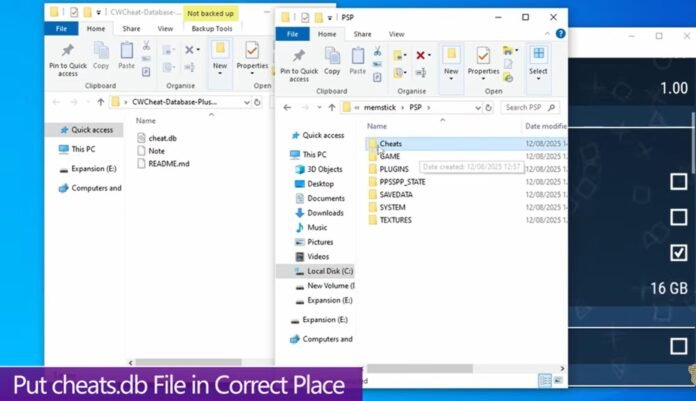
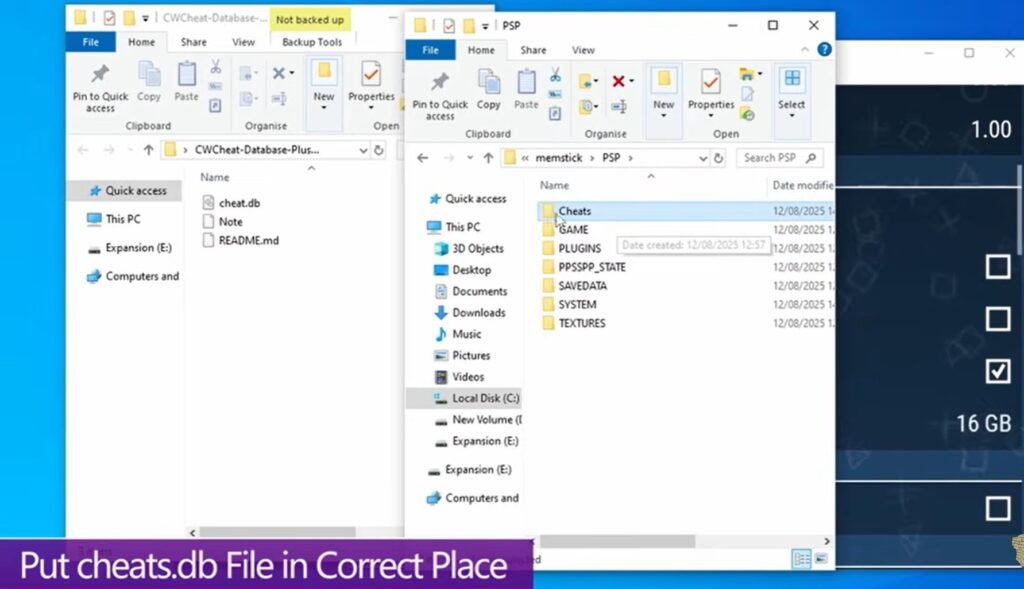
- Open the
PSPfolder, then open theCHEATSfolder inside it. - Move your extracted
cheat.dbfile directly into thisCHEATSfolder.
cheat.db file in the correct place
PPSSPP Memory Stick Path:
└── PSP/
    └── CHEATS/
        └── cheat.db  <-- Place the file here
Step 3: Enable and Import Cheats
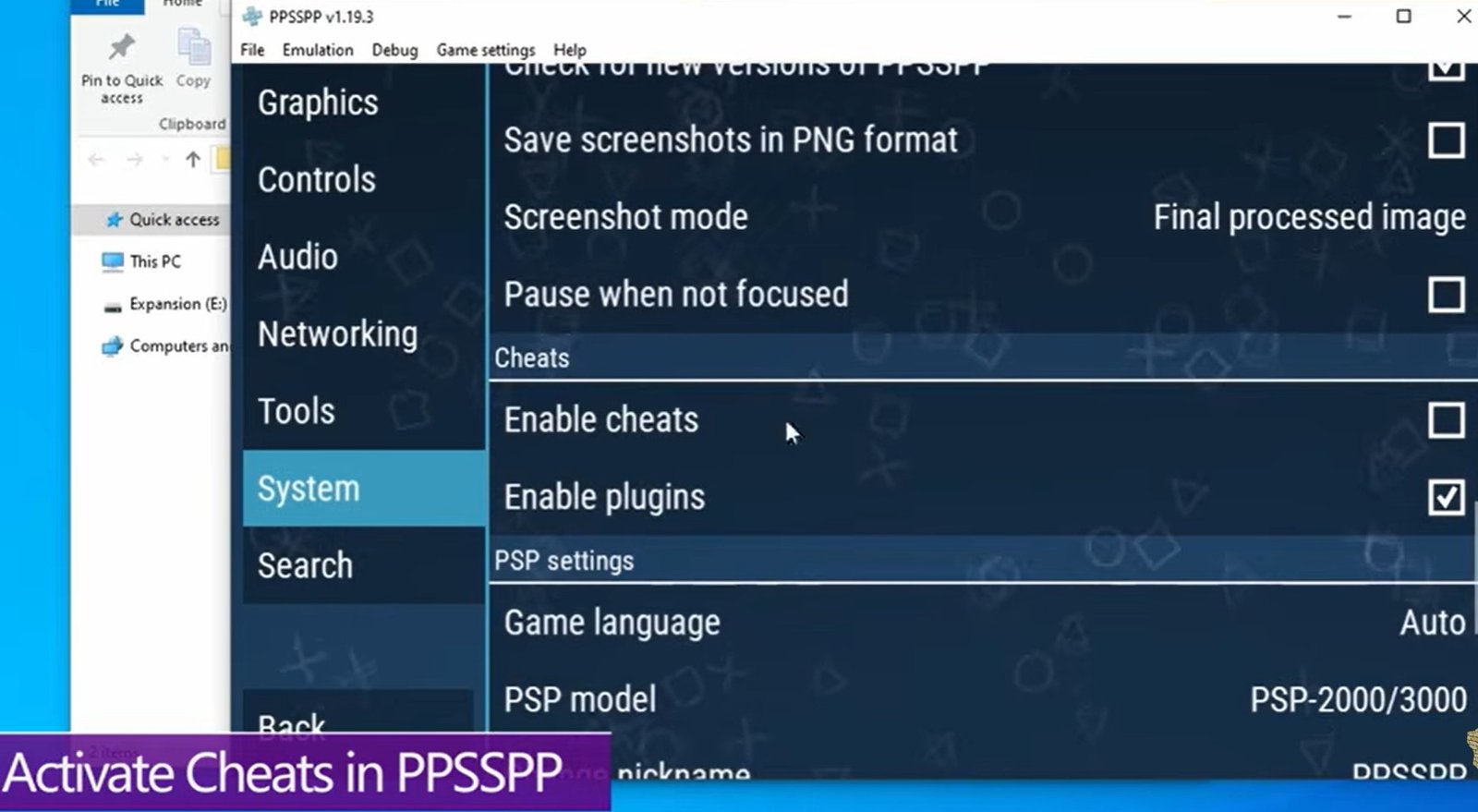
- In PPSSPP, go to Settings > System > Cheat section.
- Check the box for Enable Cheats.
- Launch your game, then press
Esc(or pause) to open the emulation menu. - Select Cheats on the right-hand side. Check the boxes to Enable Cheats and Enable Plugins.

enable cheat.db and plugins - If the menu is blank, click Import from cheat.db in the top left corner.
Important Notes on Running Cheats:
- Real-Time Activation: Most cheats activate immediately while the game is running. However, turning them off usually requires a game restart to revert the changes.
- Read the Instructions: Keep an eye out for notes attached to individual cheat entries. Some require specific in-game conditions or setting changes to function properly.
Part 2: How to Add Custom or Missing Cheats
No single database in the world catches every code for every game variant. To add missing cheats, you can edit the master database file directly. You can also check out my guide on: Why Your PPSSPP Cheats Are not Working (And How to Fix Cheat.db in 2 Minutes)
Recommended Tool
Download and install Notepad++ (or another high-performance text editor). Plain text editors like standard Windows Notepad will lag significantly when opening large database files.
How to Find Your Game ID
Always search the database using the Game ID, not the game title.
- Open PPSSPP to your games list.
- Right-click your game entry to view its info. The Game ID (e.g.,
ULUS-10041) is displayed at the top. - When searching in Notepad++, press
Ctrl + Fand include a hyphen between the letters and numbers.
Scenario A: Editing an Existing Game Entry
- Open
cheat.dbwith Notepad++ and search (Ctrl + F) for your Game ID. - Verify that your game’s region (USA, EUR, JPN) matches the region of the cheat code you want to add, as codes vary by region.
- Scroll down to the bottom of that game’s cheat list (be careful not to overshoot into the next game’s entry).
- Add your cheat using these specific formatting tags:
_CO= Cheat Title / Name_L= Line of Cheat Code
_CO Unlimited Health
_L 0x20000000 0x00000000
_L 0x20000004 0x00000000
Scenario B: Creating a Brand New Game Entry
If your Game ID returns no search results, navigate to the very bottom of the cheat.db file, start a new line, and create a new entry:
_S= Game ID_G= Game Title & Region
_S ULUS-10041
_G Game Title [USA]
_CO Infinite Ammo
_L 0x20000008 0x00000000
How PPSSPP Handles Cheat Files Under the Hood
Understanding how PPSSPP reads cheats helps prevent lost data:
- Auto-Generation: Every time you boot a game with cheats active, PPSSPP automatically generates an individual
.inifile named after the game ID (e.g.,ULUS10041.ini) in thePSP/CHEATSdirectory. This file starts out completely blank. - Importing: Clicking Import inside PPSSPP searches
cheat.db, extracts the matching game ID entry, and copies those codes into the individual.inifile. - Execution: PPSSPP reads cheat data from these individual
.inifiles—not directly fromcheat.db.
While you can edit the individual .ini files directly, modifying the master cheat.db file first is a safer, more permanent method because individual .ini files are easily overwritten or deleted during updates.
Using cheat.db as your central backbone keeps your configuration organized, backed up, and easy to update. Enjoy your enhanced graphics, custom controls, and gameplay tweaks!