
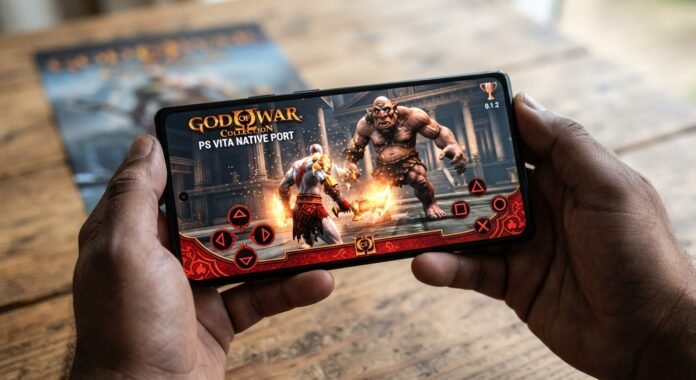

Wait, wait, wait. What you are looking at right now is not a PC, and it is not cloud gaming—this is running natively on an Android phone. Kratos, the Blades of Chaos, and the whole Greek destruction, all of it without any emulator. Yes, you heard that right: no emulator at all.
In this current wave of recompilations (“recomps”), it is always great when a recompiled game runs across multiple devices. Created by Brazilian developer Luiz Santos (D Santa), this project brings the PS Vita God of War Collection to Android, delivering both God of War I and God of War II together in one full collection. It runs on a wide variety of devices with incredible performance—ranging from phones with 4 GB of RAM and ultra-small screens to other 4 GB RAM devices with extremely weak processors. Finally, after 20 years, you can play both games smoothly on your phone without crashes.
In this article, we will look at what this project is, how to install it, how well it actually performs across different hardware, and some cool built-in features and mods you are sure to love.
Also check out:
What Is This Project?
This is the PlayStation Vita God of War Collection brought to Android using a technique called static recompilation. The original game code has been recompiled and runs directly on the Vulkan API. So, this is a 100% native port and not emulation—meaning it runs natively on the phone’s code without relying on PS Vita or PlayStation 2 emulation.
Because the port takes from the PS Vita version, it is essentially a “lite” version of God of War 1 and 2 on PS2, with a very small base file size (around 3–3.3 GB). Despite the compact size, it is the complete, full game until the end for both God of War I and God of War II—not a demo.
Key Features & Compatibility
PS Vita Style Launcher: Comes with a straightforward launcher featuring working trophies (tracking every trophy you unlock) and an automatic update feature.
Language Support & Auto-Translation: Supports six languages—English, Portuguese, Spanish, French, German, and Italian. Additionally, because it was made by a Brazilian developer, it automatically detects your device’s language region and translates the game (for example, automatically translating an English version of the game files into Portuguese).
Aspect Ratio Options: Supports original 16:9, 18:9, 19.5:9, or Automatic so it fills your screen properly.
Broad GPU & Driver Support: The developer has worked on Adreno, Mali, Xclipse, and PowerVR, covering all major mobile chipsets. It also includes an option to load custom graphics drivers (such as Turnip drivers for Snapdragon/Adreno processors) or leave them disabled for GPUs like the Mali-G52.
Direct Game Selection & Cutscene Skipping: You can launch the complete collection or select God of War I or God of War II directly from the menu, allowing you to skip the collection’s initial intro cutscene. In-game intros and cutscenes can also be skipped using the X button (or Triangle on certain prompts).
Controls, Visual Themes & Built-In Features
Customizable Touch Controls & Controller Support
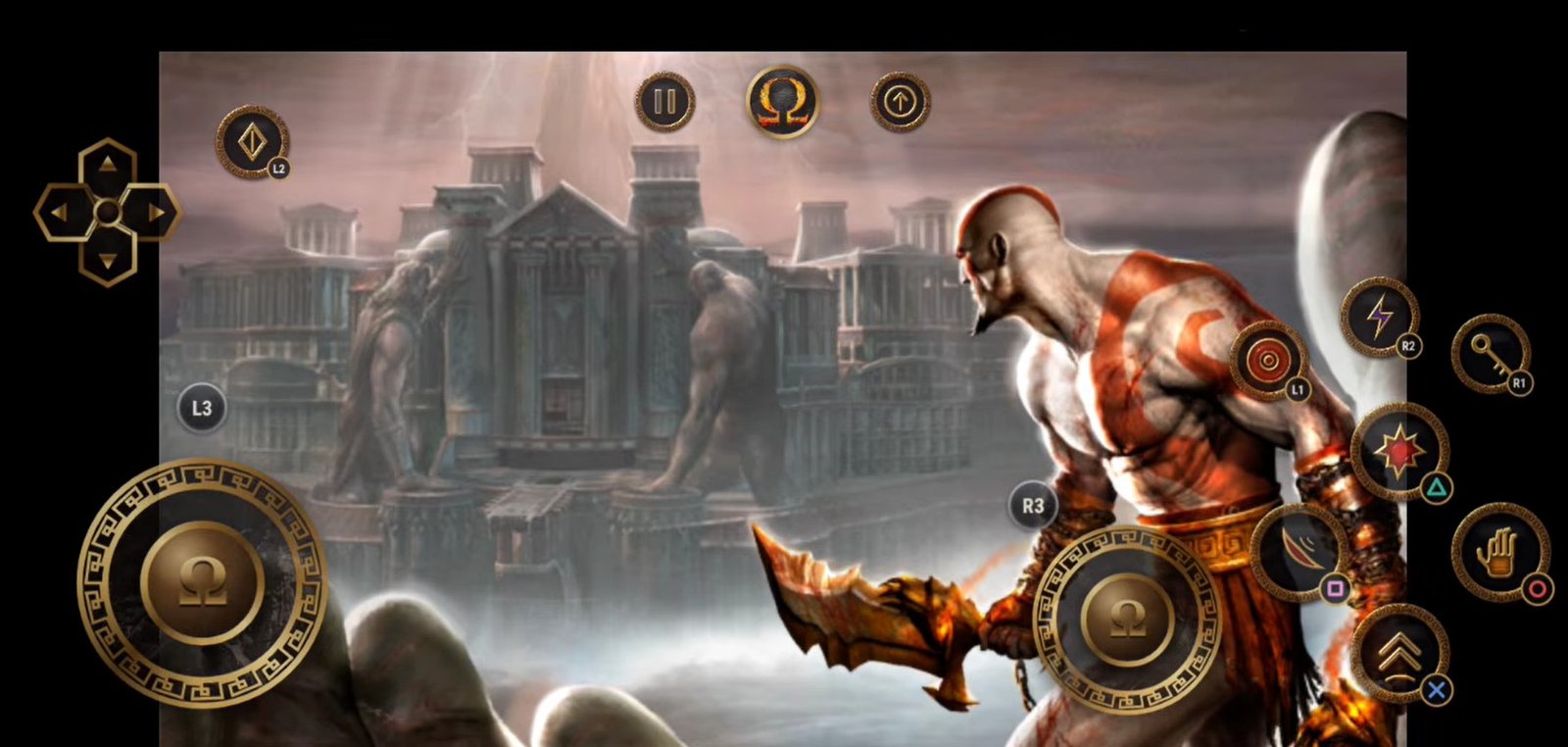
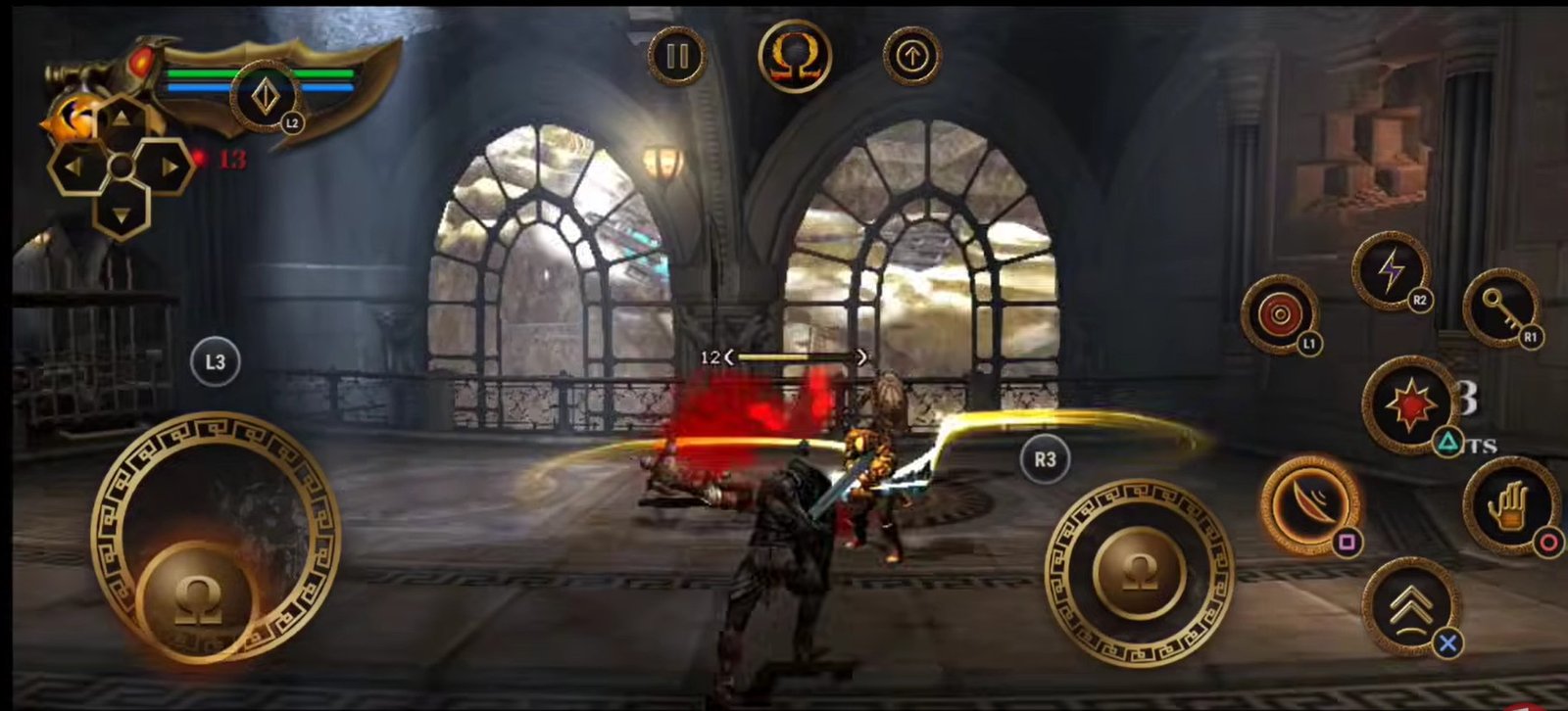
External wired and Bluetooth controllers work right out of the box (automatically hiding the touch overlay). If you don’t have a physical controller connected, you can use the on-screen touch controls. Clicking the center HUD button lets you customize the entire layout—dragging buttons around, resizing them, adjusting opacity and vibration, or resetting positions.
You can also choose between three distinct visual styles for the on-screen buttons:
Crystal: Resembles the classic look of the PS Vita interface.
Minimalist: A cleaner, simpler look (a great, practical option).
God of War Style: Features custom red-themed buttons that look great, though they may feel less functional for some players.
Auto-QTE & Enemy Health Feature
One of the standout built-in features of this port is that you can see enemy health, and when you kill a big enemy or a boss, all the cutscene-style quick-time event (QTE) buttons get pressed automatically, so you do not have to press them yourself.
Performance Testing: Recompilation vs. PS2 Emulation
Anbernic RG405M (Unisoc T618 / 4 GB RAM / Mali-G52)
Starting with practically the weakest device on the table, the Anbernic RG405M runs a Unisoc T618 processor with only 4 GB of RAM and a Mali-G52 GPU. Launching God of War II (the heavier of the two games—if II runs well, I will easily run smoothly) shows impressive results.
You might wonder: “Wouldn’t it be better to run this on a PlayStation 2 emulator? Doesn’t a PS2 emulator already have good enough performance?”
While a PS2 emulator (like AetherSX2) might hit 30 FPS on weaker phones, you would have to drop the internal resolution drastically (down to 0.25x or 0.5x) to maintain that framerate, making the game pixelated and nearly unplayable. Because this port is recompiled and runs natively, it runs at the PS Vita’s native resolution at 30 FPS. On a device with a Unisoc T618 that normally struggles heavily with PS2 emulation, getting a crisp resolution at 30 FPS is vastly superior.
Xiaomi Redmi Note 8 (Snapdragon 665 / 4 GB RAM)
Testing on the Xiaomi Redmi Note 8 (Snapdragon 665 with 4 GB of RAM) yields similar benefits. This device also struggles to run God of War 1 and 2 on a PS2 emulator without lowering the resolution to a pixelated mess—which looks even worse on the Note 8’s larger screen.
With the recompiled port running at 1x native resolution, God of War II plays very smoothly. While there are occasional minor stutters and slight frame drops into the 26–27 FPS range during heavy action, you can unleash magic attacks without the screen freezing, offering a much better visual and gameplay experience than low-resolution PS2 emulation. On stronger hardware, the game runs out of the box with zero FPS drops, clean resolution, and no crashes even over long play sessions.
Known Bugs
White Startup Screen: On some phones, the initial menu screen appears completely washed out in white. However, as soon as you launch God of War or God of War II, the screen corrects itself automatically without needing any manual fixes.
Green Screen / Intro Video Rendering: Because this is an early release (version 0.1.2), on older phones, less-supported processors, or certain devices, the intro and some pre-rendered game videos may show a green screen or fail to render properly. Fortunately, you can simply skip the cutscenes and jump straight into gameplay while awaiting future updates.
Download Links for the APK and Game Files
Download God Of War Collection-Android-v0.1.0.apk Game File from GitHub (36MB)
Download GOD_OF_WAR_COLLECTION_PKG_BY_VM_GAMEDROID.zip Game Data File from DevUploads (3.1GB)
Download GOD_OF_WAR_WORK_01_dados_gow-01.bin File from GitHub (1.8GB)
Download GOD_OF_WAR_WORK_02_dados_gow-02.bin File from GitHub (51MB)
Download GOD_OF_WAR_optional-HD-textures_ File from GitHub (1.7GB)
How to Install the God of War Collection on Android
Keeping it simple, you will need your own legally owned copy of the game because nothing from the game itself is included in the APK or in the project repository.
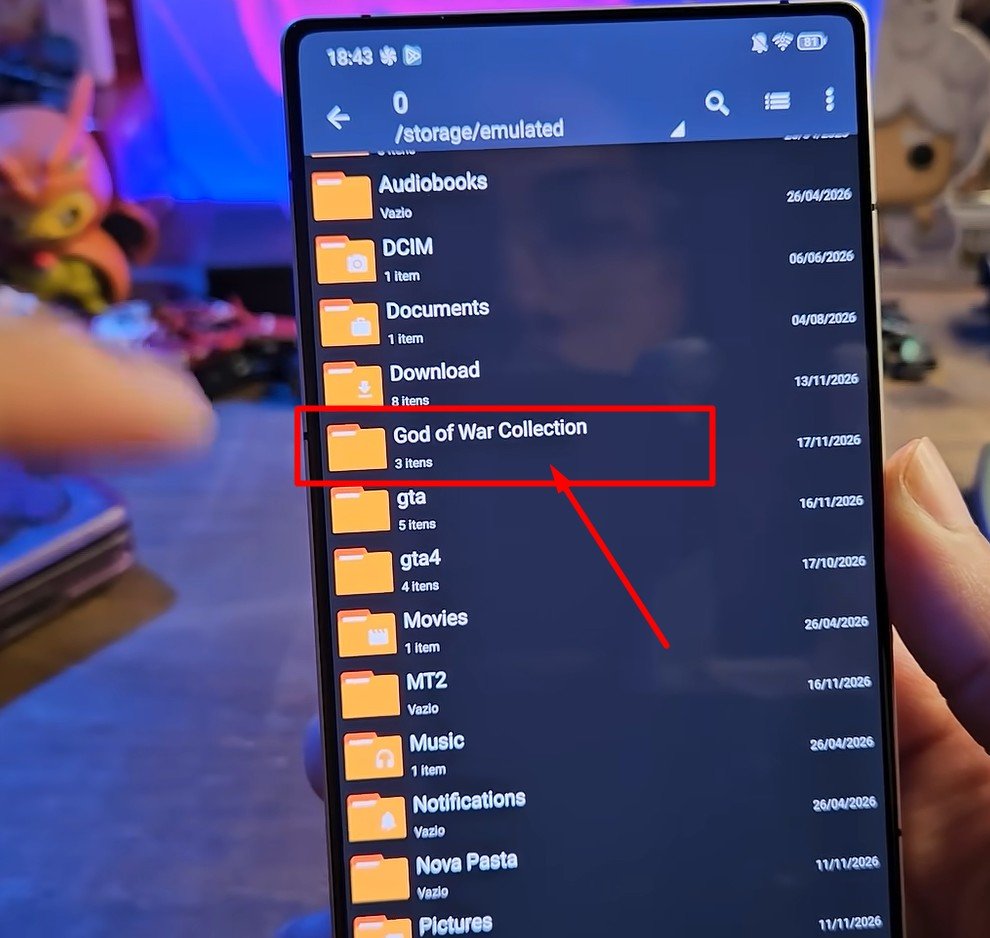
Create the Folder: On your device’s storage (or inside your
Download/Documentsfolder), create a folder namedGod of War Collection(make sure the G, W, and C are capitalized, as this is required for the app to detect the files automatically).
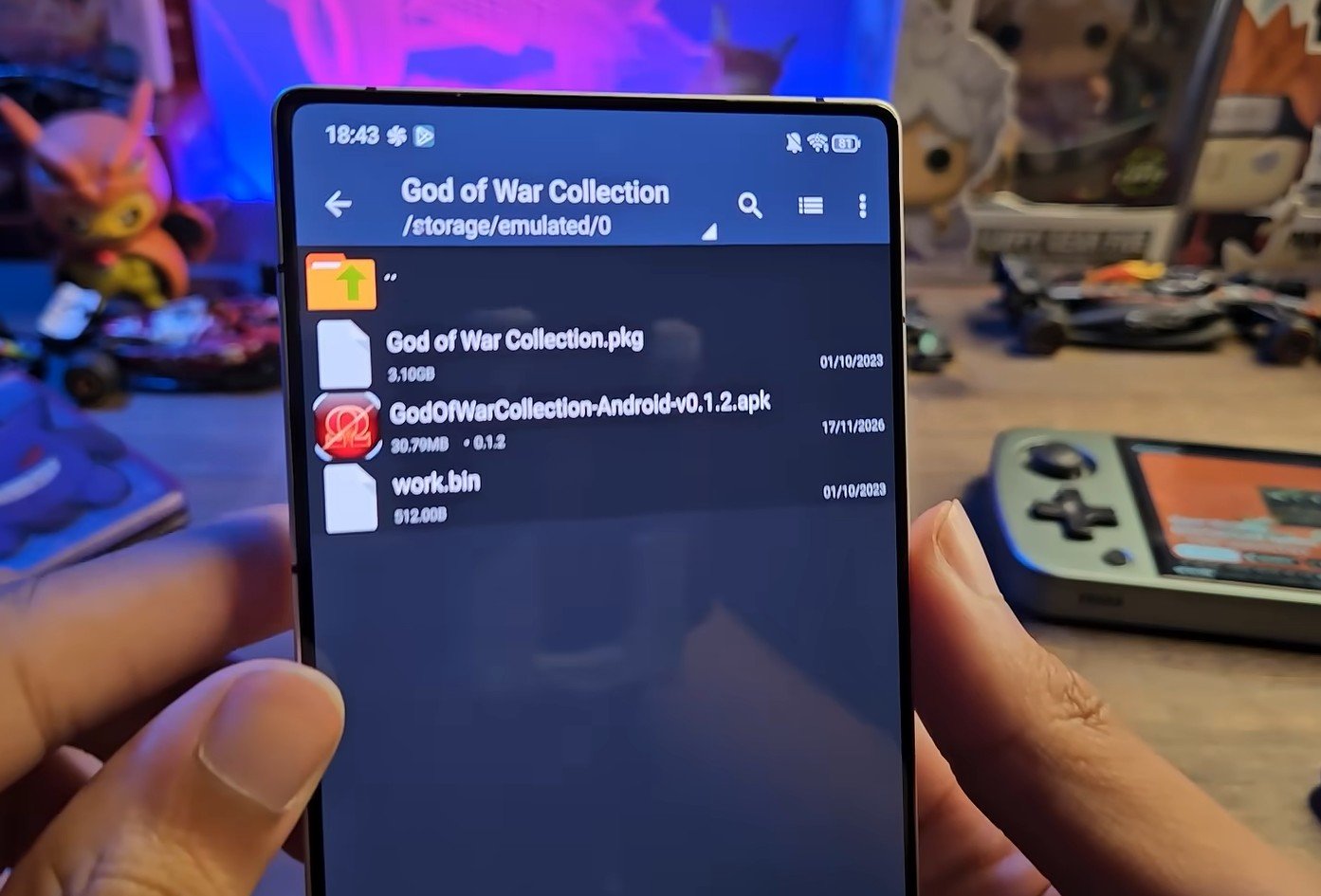
god of war collection installation 1 Gather Your Game Files: Place the US version of the PS Vita God of War Collection in
.pkgformat (about 3.3 GB) inside that folder, along with the small 512-byte license file calledwork.binfrom your own legally owned copy of the game (needed to decrypt the game data).
god of war collection installation 2 Install the APK: Download and install the God of War Collection APK (version 0.1.2) onto your device.

god of war collection installation 3 Grant Permissions: Open the app and allow file access permissions. The launcher will find both files automatically (if it does not, you can tap the row and select the files manually).
Optional HD Textures: There is an optional HD textures pack requiring about 1.7 GB of extra storage. Enable this on mid-range or high-end phones for much sharper visuals (avoid enabling it on weaker phones like the Redmi Note 8).
Extract & Install: Tap the Install the Game button. The app will verify the
.pkgandwork.binfiles, download/extract textures, and build the game right on your phone. Note: This process can take quite a while on older phones—it may look frozen, so be patient and give it time to finish.
god of war collection installation 4
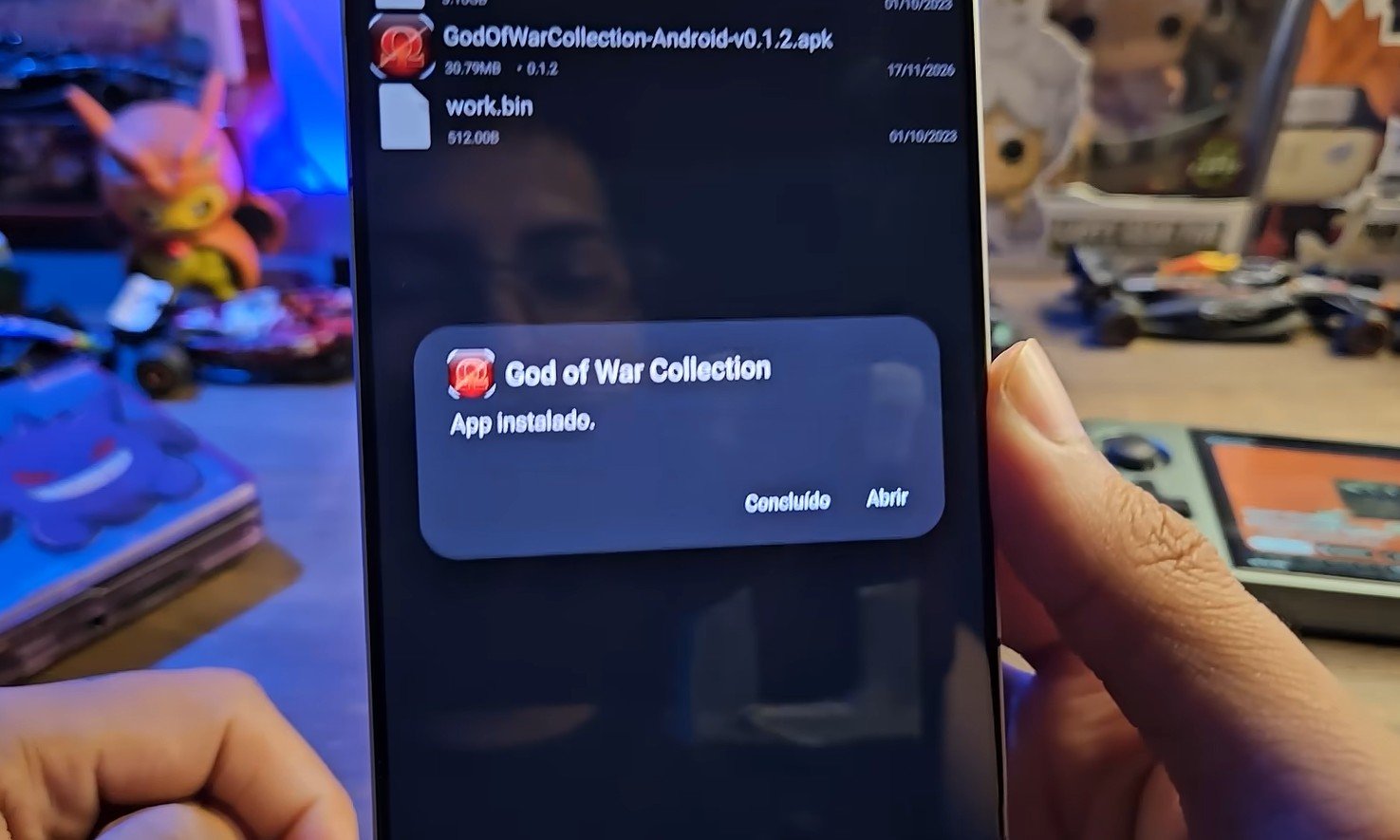
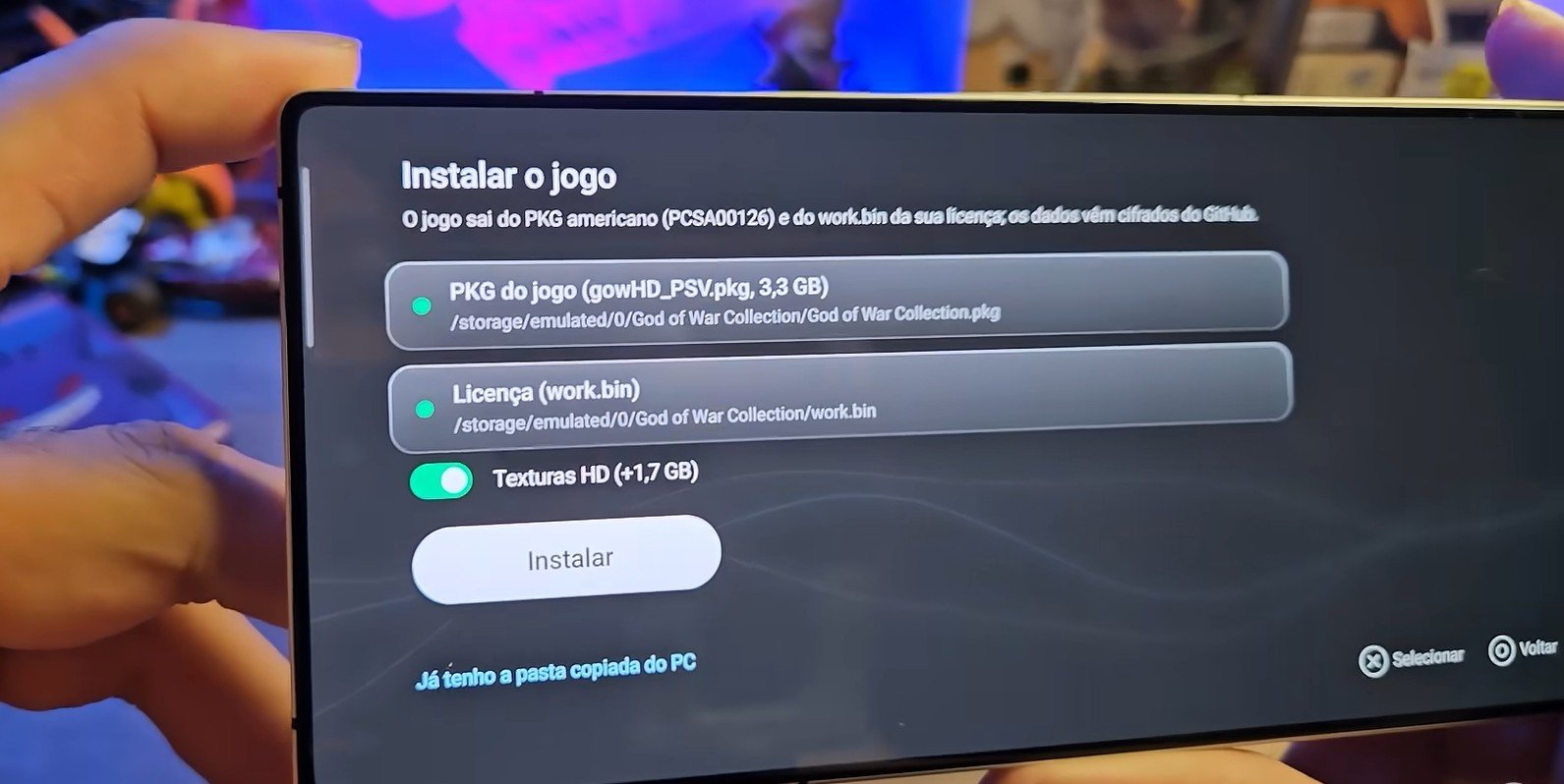
Once the installation finishes, you can configure your video drivers (such as Turnip drivers for Adreno/Snapdragon GPUs), adjust your HUD controls, aspect ratio, or language, and hit Play.
Optional Mods & Extras: HD Cutscenes, Unlocked Save Data & God of War III Costumes
HD Cutscenes Mod (16:9 Widescreen)
The standard PS Vita version keeps its file size small because the cutscenes are blurry and locked to a 4:3 aspect ratio rather than full screen. With the HD Video Mod, the cutscenes for both God of War I and II are upgraded to crisp HD (matching the PS2 quality) in full 16:9 widescreen.
Storage Note: Adding this mod increases the total game size to around 4.8 GB. If you are low on storage, skip this mod; if you have plenty of free space and want a true remastered look, it makes a huge visual difference.
In-Game Movie Modes: In God of War II, the Treasures / Extras menu separates movies into High Resolution (sharp, detailed cutscenes like young Zeus’s backstory) and Story Format (480p/544p PS2-sourced cutscenes), both running in 16:9.
Completed Save Data & Built-In Cheats
Using the shared completed save data from De Santa unlocks everything right away in both games:
All Costumes & Extras: Unlocks every bonus costume (such as the Ares armor in God of War I, and up to seven bonus costumes including God Armor in God of War II), plus ready-to-load save slots.
Built-In Cheat Menu: In God of War II, pausing/starting and pressing R1 opens the built-in cheat toggles—allowing you to activate Poseidon’s lightning (transforming Kratos into Poseidon with lightning effects) and turn enemies into stone with a single swipe of the Blades of Chaos (complete with snake venom and static lightning effects).
God of War III Costume Mod
Finally, De Santa’s bonus mod introduces three to four God of War III modded skins into God of War II—changing Kratos’s appearance and bonus costumes (including General Kratos, Athena, purple soul-absorbing blades inspired by Hades, and Hercules-style weapon variations).
Screenshots and Images:
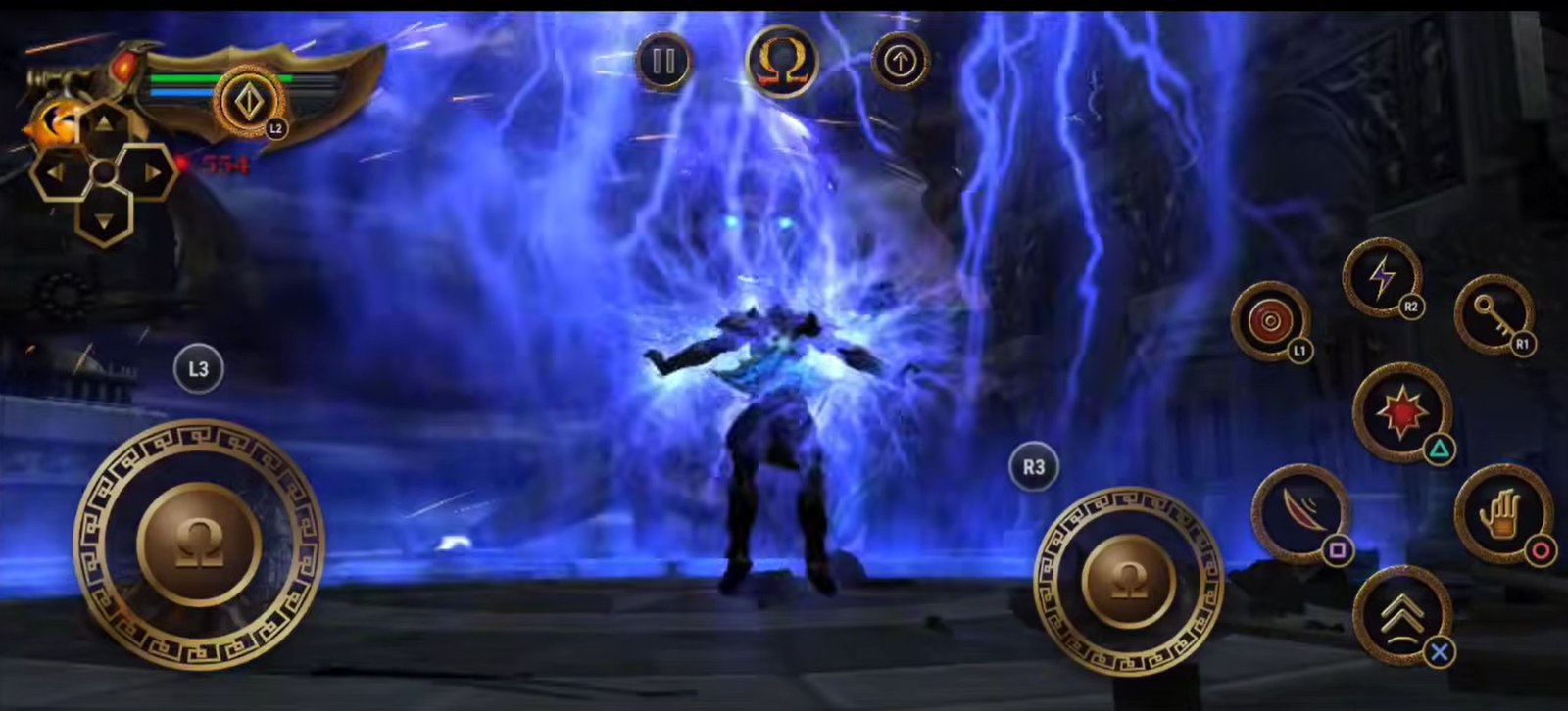
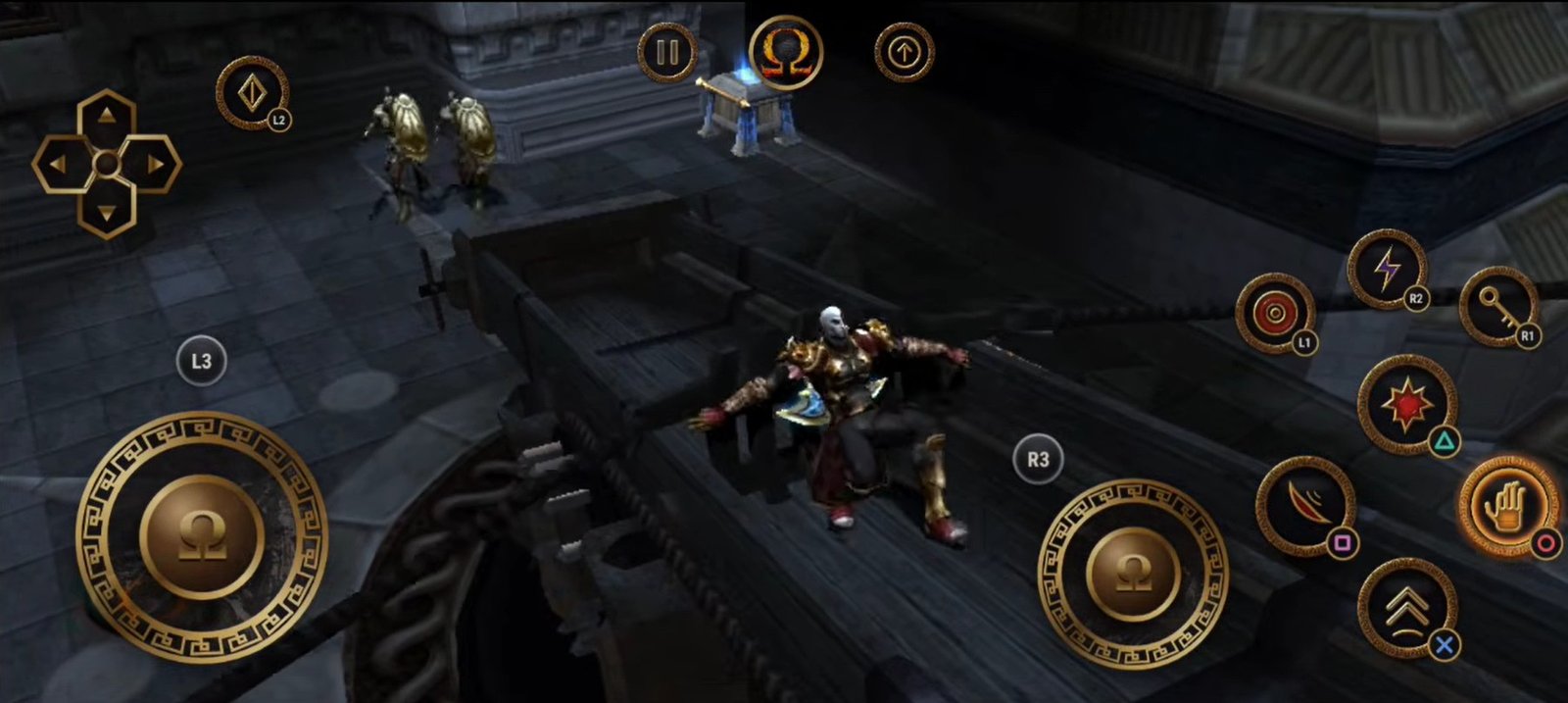
Frequently Asked Questions (FAQ)
Why is the app not detecting my game files during installation?
Make sure your folder is named God of War Collection with the exact capitalization (G, W, and C capitalized), as the launcher strictly requires this naming format to scan automatically. Ensure that both the US version .pkg file (around 3.3 GB) and your 512-byte work.bin license file are placed inside that folder. If it still does not detect them automatically, tap the file row inside the app to locate and select them manually.
My phone looks frozen during the installation process—did it crash?
No, it is likely still extracting and building the game files. On older or budget devices (like the Redmi Note 8), verifying the .pkg, extracting textures, and compiling the data can take quite a while. Leave the screen open and give it plenty of patience to complete.
Why do I see a green screen or a white menu screen?
Green Screen During Videos: Because this port is an early release (version 0.1.2), pre-rendered intro videos and cutscenes may display a green screen or fail to render properly on certain processors and older phones. Simply press X (or Triangle on certain prompts) to skip the cutscene and jump straight into normal gameplay while awaiting future updates.
White Startup Screen: On some devices, the initial menu appears washed out in white. You do not need to adjust any settings—as soon as you launch God of War I or God of War II, the display corrects itself automatically.
How much total storage space do I need?
Your storage needs depend on which optional visual packs you choose to install:
Base Game Only: Roughly 3 GB to 3.3 GB for the full God of War I & II collection.
With Optional HD Textures Pack: Requires an additional 1.7 GB of free space (recommended only for mid-range and high-end phones).
With the 16:9 HD Cutscenes Mod: Increases the total game footprint to around 4.8 GB. If you are low on storage, skip the HD mods and stick to the base installation.
Does this port support external gamepads and controllers?
Yes. Wired and Bluetooth controllers work right out of the box, and connecting a physical controller will automatically hide the on-screen touch overlay. If you prefer playing without a controller, you can customize the touch controls using three themes (Crystal, Minimalist, and God of War Style) and adjust their size, opacity, vibration, and screen position.
Is this just a demo, or are both full games included?
Despite the compact 3 GB base file size (which comes from using the PS Vita version as a base), both God of War I and God of War II are 100% complete, full games playable from start to finish.